Disaster Recovery Backups: Why Snapshots Alone Fail IT Teams
Disaster Recovery Backups: Why Snapshots Alone Fail IT Teams

Disaster recovery backups are the recoverable copies of data that a documented, tested recovery plan relies on to restore systems after an outage, breach, or failure. Backups alone are not a disaster recovery plan. Your first move is to inventory critical workloads and set recovery point and recovery time objectives, grounded in guidance from Ready, so backup frequency and architecture match what the business actually needs.
TL;DR:
- Set targets by workload: databases need minutes of data loss and hours offline; application servers can allow hours of loss and one business day offline.
- Test actual restores, not just job completion: run automated partial restore checks weekly and schedule a full failover drill quarterly.
- Keep three data copies across two media types, with one offline or isolated, and separate backup credentials and accounts from production access.
- Use replication when workloads cannot tolerate much data loss, but retain portable file level copies because snapshots depend on provider infrastructure.
Table of Contents
- Backup vs. disaster recovery: why the distinction matters
- Setting recovery objectives and tiering your workloads
- Backup methods: snapshots, replication, and offline copies
- Building a disaster recovery plan around your backups
- Testing and exercising your recovery plan
- Protecting your backups from ransomware
- Choosing backup architecture and policies
- Why automated, provider-integrated backups fit DR goals
- What the conventional advice gets wrong
- VPS Snaps: automated backups built for recoverability
- FAQ
- Sources
- Primary sources for this guide
Backup vs. disaster recovery: why the distinction matters
A backup is a copy of data you can restore. Disaster recovery is the documented, exercised plan that restores hardware, applications, credentials, people, and business processes, with backups serving as one control inside that larger plan. Ready.gov’s continuity planning guidance frames recovery this way deliberately: restoring a server without restoring the configuration, access, and workflows around it rarely restores the business.

Teams that treat backups as the entire plan usually discover the gap at the worst possible moment. A snapshot might restore a disk image, but it will not hand back the environment variables, the firewall rules, the API credentials, or the order in which services need to start. Those details live in runbooks, not in backup jobs.
A disaster recovery plan built around backups generally includes:
- An inventory of hardware, software, data, and the dependencies between them.
- Defined recovery objectives for each workload, not one blanket number.
- A retention schedule tied to both business needs and compliance requirements.
- A testing schedule with records of what passed and what didn’t.
- An alternate site or environment where systems can actually run during recovery.
Skipping any one of these turns a backup job into a false sense of security. The point of documenting a plan is that someone unfamiliar with the system could follow it under pressure and still get the business running again.
Setting recovery objectives and tiering your workloads
Recovery Point Objective (RPO) is the maximum amount of data loss you can tolerate, measured in time: how far back your last usable backup can be. Recovery Time Objective (RTO) is how long you can tolerate being down before systems are back online. These numbers should come from business impact, not from whatever your backup tool defaults to.
Not every workload deserves the same treatment. A practical tiering approach looks like this:
- Tier 1, transactional databases: RPO measured in minutes, RTO measured in hours.
- Tier 2, application servers and internal tools: RPO of a few hours, RTO of one business day.
- Tier 3, archives and cold storage: RPO and RTO both measured in days.
Several factors cap what you can realistically achieve regardless of what you set on paper: available bandwidth, provider transfer limits, and how long a full system rebuild actually takes. NIST’s ransomware risk management guidance notes that recovery objectives need to be engineered from business impact, which means revisiting them whenever workloads change, not setting them once and forgetting them.
Our RPO vs RTO tiering templates walk through copyable examples by workload type, and our worked RPO and RTO examples show the math behind each tier.
Pro Tip: Test your assumed RTO at least once with a real restore. Paper estimates almost always run long once bandwidth and rebuild time are factored in.
Backup methods: snapshots, replication, and offline copies
Different backup technologies solve different problems, and most mature DR programs use more than one at once.
- Snapshot-based backups capture the state of a disk or volume at a point in time, which makes them fast to create and restore but dependent on the provider’s snapshot infrastructure staying available.
- File-level full and incremental backups copy actual data outside the provider’s snapshot system, which costs more time upfront but gives you a portable copy you control independent of any one provider.
- Continuous replication mirrors changes to a secondary system in near real time, minimizing RPO for workloads that cannot tolerate much data loss, at the cost of needing a standby environment running continuously.
Cross-account and cross-region copies matter because a compromised primary account should not be able to touch your recovery copies. Keeping backup credentials separate from production credentials, and storing a copy in a different account or region, reduces the chance that one breach takes out both your production data and your way back from it.
This is also where the 3-2-1 rule earns its reputation: three copies of your data, on two different media types, with one copy offline or otherwise isolated. NIST’s NCCoE guidance on protecting data from ransomware distinguishes a backup job that completes successfully from a backup that is actually recoverable, which is exactly why that offline or immutable copy matters. A successful job status tells you the process ran. It does not tell you the data will restore cleanly.
A backup labeled “snapshot” on a provider’s dashboard doesn’t guarantee point-in-time recovery or granular restore. Verify what the feature actually supports, such as log-based point-in-time restore or file-level recovery, before counting on it as your main recovery path.
Building a disaster recovery plan around your backups
A workable plan follows a sequence, not a checklist you fill out once and file away.
Start with a full inventory of assets and map the dependencies between them: which application needs which database, which service needs which credential store. From there, prioritize which systems are critical enough to need aggressive recovery objectives and which can wait. Ready.gov’s IT disaster recovery plan guidance recommends beginning exactly this way, with an inventory of hardware, software, and data before anything else.
Once priorities are set, the plan needs to account for more than data:
- Store credentials and access artifacts somewhere separate from the systems they unlock, and keep an offline copy.
- Preserve deployable images and infrastructure-as-code templates so systems can be rebuilt, not just restored.
- Design retention periods around both your RPO/RTO targets and any legal or compliance retention requirements that apply to your data.
- Keep test records and corrective-action logs as part of ongoing governance, not a one-time audit artifact.
Retention design in particular tends to get rushed. Keeping backups forever costs money and creates compliance exposure; keeping too few means your RPO target is theoretical. Our backup retention policy guide and disaster recovery plan template for servers walk through both pieces together.
Testing and exercising your recovery plan
A backup job that finishes with a green checkmark tells you almost nothing about whether you can actually recover. Ready.gov’s guidance on testing is explicit that recovery plans need to be exercised, with tests ranging from simple component checks to comprehensive drills that attempt a full restoration at an alternate site.
A reasonable testing program includes considerations for data center backup power and fuel planning to ensure alternate-site power availability during recovery.
- Component checks that confirm individual backup jobs completed and files are intact.
- Partial restores that pull a subset of data back and verify it opens and reads correctly.
- Automated restore tests that run on a schedule without manual intervention, catching failures early.
- Full failover drills that stand up systems at an alternate site and run them under near-real conditions.
- Comprehensive exercises that test the entire plan, including the people and processes around it, not just the technology.
Integrity, dependencies, and permissions all need checking, not just whether a file restored. A database backup that restores but is missing the application’s service account won’t bring anything back online. Ready.gov’s guidance recommends keeping records of each test and the corrective actions that followed, which turns testing into an improving process rather than a box to check once a year.
Pro Tip: Run automated partial restore tests weekly and schedule a full failover drill quarterly. Frequent small tests catch drift before it becomes a crisis.
Our automated restore testing guide covers how to build these checks into a routine without manual babysitting.
Protecting your backups from ransomware
Ransomware actors increasingly target backup infrastructure directly, because an organization with intact backups has far less reason to pay a ransom. CISA’s ransomware risk management community profile treats backup isolation and separate backup credentials as recovery requirements, not optional hardening, precisely because attackers go after backup infrastructure and credentials as a primary target.
Offline, encrypted backups and immutable storage address the core risk: if an attacker with production access cannot modify or delete the backup copy, the backup survives even when production doesn’t. Cross-account copies and separate backup identities add another layer by ensuring that compromising one set of credentials doesn’t hand over both the live environment and its recovery path.
A practical offline recovery kit, separate from production access, should include:
- Golden images of critical systems, kept current as configurations change.
- Infrastructure-as-code templates needed to rebuild the environment from scratch.
- Recovery credentials stored somewhere accessible without relying on the systems being recovered.
Where feasible, scan backup data for malware before restoring it, and limit who can delete or modify backups once written, with audit logs covering every backup operation. Our guide to protecting backups from ransomware covers isolation and credential separation in more depth.
Choosing backup architecture and policies
Selecting an architecture comes down to a short list of criteria that matter more than any single feature name.
- Recoverability and granularity: can you restore a single file or table, or only the entire volume?
- Governance controls: does the system support cross-account copies and immutable storage, or only same-account snapshots?
- Test automation: can restore tests run on a schedule without manual setup each time?
- Operational logs and audit trails: is there a record of every backup run, success or failure, and who accessed what?
- Encryption and credential handling: are backup credentials stored and encrypted separately from production access?
- Cost: what do storage, egress, and restore operations actually cost at your data volume?
Before committing, map your RPO/RTO tiers to a specific technology choice for each, then verify the restore path with an actual test rather than a vendor claim. Confirm how credentials are handled and whether run logs exist for every job, and plan how retention will be enforced automatically rather than manually. Our RPO and RTO worked examples and automated restore testing guide are useful starting points for both steps.
Why automated, provider-integrated backups fit DR goals
Manual backup scripts fail quietly, usually at the worst time. Automation that runs backups on a schedule tied to your RPO policy removes the human error that creeps into manual processes: forgotten jobs, misconfigured cron entries, credentials that expire unnoticed.
Owner-controlled storage matters just as much. When backup data streams into a bucket you own rather than a vendor’s proprietary store, you can restore without relying on VPS Snaps. Encrypted credential storage and detailed run logs give you the audit trail that governance and testing both depend on, turning “the job ran” into something you can actually verify.
What the conventional advice gets wrong
Most disaster recovery advice spends its energy on backup frequency and barely mentions the restore path, which is backward. A daily backup that nobody has ever restored is a guess dressed up as a safety net. The organizations that get burned are rarely the ones backing up too infrequently. They’re the ones who never tested whether the backup they had would actually bring a system back, with the right permissions, the right dependencies, and the right credentials attached.
The other place conventional advice falls short is treating snapshots and backups as interchangeable. A snapshot tied to one provider account is convenient until that account is the thing compromised. Isolation, not just frequency, is what determines whether a backup survives the disaster it’s supposed to protect you from.
If you take one thing from this guide, prioritize proving your restore path before you optimize your RPO number. A plan that recovers slowly but reliably beats one that promises speed nobody has verified.
— Scott
VPS Snaps: automated backups built for recoverability
We built VPS Snaps around the same criteria this guide walks through: automation that removes manual error, storage you own instead of a proprietary vault, encrypted credential handling, and run logs that document every job, success or failure.
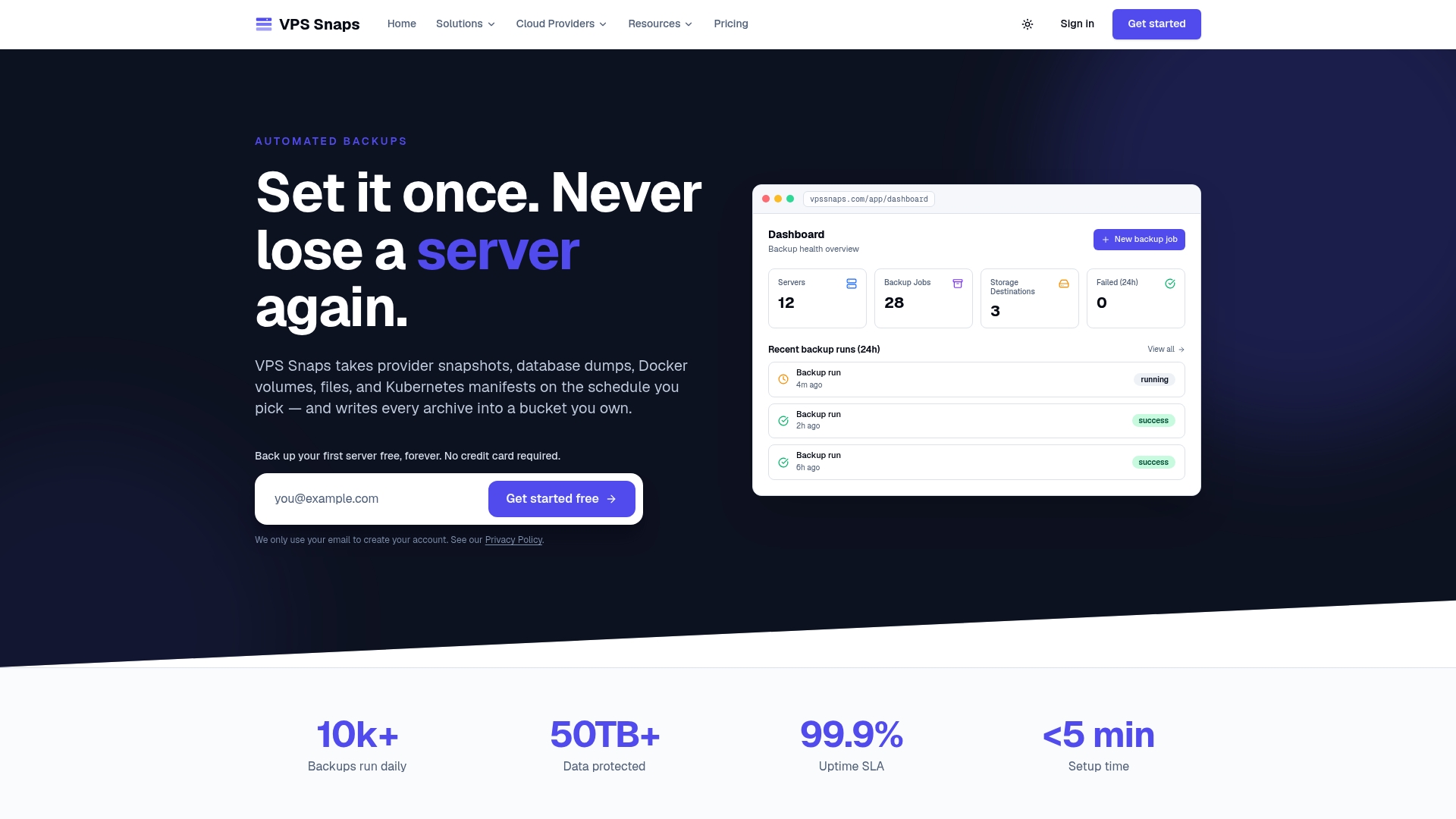
Backups stream directly into your own S3-compatible bucket across major cloud providers, with retention managed automatically so you’re not relying on someone remembering to clean up old copies. Encrypted credentials and detailed run logs give you the audit trail your DR plan and your compliance requirements both need.
If you’re evaluating architecture against the checklist above, our pricing page outlines plans from Starter at $10 per month to Agency at $117 per month, with annual billing available, and our server backup guides cover setup for specific providers. See how the restore path actually performs before you commit.
FAQ
What is disaster recovery backup?
A disaster recovery backup is a recoverable copy of data used as part of a documented, tested plan to restore systems, applications, and business processes after an outage or attack. The backup itself is only one control; the plan around it covers dependencies, credentials, and the sequence needed to bring operations back online.
What is the best software for backup and disaster recovery?
The right choice depends on your recovery objectives, how many providers you need to cover, and whether you need owner-controlled storage versus a vendor-managed vault. VPS Snaps focuses on automated, provider-integrated snapshots streamed into storage you own, with encrypted credentials and run logs, which suits teams prioritizing auditability and reduced lock-in.
What is the 3/2/1 rule for backing up?
The 3-2-1 rule means keeping three copies of your data, on two different media types, with at least one copy stored offline or otherwise isolated from production. The isolated copy is what protects you if an attacker or failure compromises your primary systems and any directly connected backups.
What are the four types of backup?
The common categories are full backups, incremental backups, differential backups, and snapshot-based backups, each trading off restore speed, storage cost, and how much data changes between copies. Continuous replication is sometimes treated as a fifth category when near-zero data loss is the goal.
Sources
- Ready
- Nist
- PROTECTING DATA FROM RANSOMWARE
- Ransomware Risk Management: A Cybersecurity Framework 2.0 Community Profile
Primary sources for this guide
This guide draws on federal and standards-body guidance, including Ready.gov’s continuity planning, NIST’s ransomware risk management profile, NCCoE’s guidance on protecting data from ransomware, and CISA’s community profile on ransomware recovery.