Application Aware Backups for Ops: Audit Ready Playbook
Application Aware Backups for Ops: Audit Ready Playbook

Application-aware backups quiesce an application before a snapshot runs, capturing in-memory state and pending transactions so the resulting copy is application-consistent, not just crash-consistent. Databases, Active Directory, mail servers, and other transactional systems need this because a snapshot taken mid-write can restore into a corrupted or inconsistent state. The mechanics differ by platform: Windows relies on VSS, Linux and cloud VMs use guest-flush scripts, and Kubernetes leans on CSI VolumeSnapshot hooks.
TL;DR:
- Application-aware backups rely on specific hooks and signaling mechanisms that vary by platform to ensure in-memory data and pending transactions are captured, preventing corruption during restore.
- Troubleshooting involves verifying writer and script statuses, ensuring timeouts are set appropriately, and confirming that freezes actually succeed before snapshots, especially on Windows with VSS and on Linux or cloud with guest-flush scripts.
- Kubernetes snapshots require pre-snapshot application quiescence via hooks; raw CSI snapshots are crash-consistent unless supplemented with application-specific checks.
- Regular restore testing, especially for critical systems, is essential to validate data integrity and compliance, with tiered frequency based on workload importance.
- Backup solutions like VPS Snaps automate detection of application-specific needs, store credentials securely, and integrate with major cloud providers, simplifying the implementation of application-consistent backups.
Table of Contents
- Application Aware Backups: The Core Mechanics Behind Consistency
- Windows and VSS: What Admins Must Check Before Trusting a Backup
- Linux and Cloud VMs: Guest-Flush Scripts and Orchestration Patterns
- Kubernetes and CSI Volume Snapshots: Application Consistency for Containers
- Proving Backups Work: RPO/RTO, Integrity Checks, and Restore Testing
- Troubleshooting Application-Consistent Backup Failures
- How VPS Snaps Maps to These Application-Aware Patterns
- What Ops Teams Should Actually Do This Week
- Try VPS Snaps on One Provider Before You Commit
- Sources
- FAQ
Application Aware Backups: The Core Mechanics Behind Consistency
Every application-aware backup follows roughly the same lifecycle: quiesce, snapshot, resume. An orchestrator (backup software, a cloud provider’s API, or a custom script) tells the application or operating system to stop writing, flush buffered data to disk, and hold that state just long enough for a snapshot to capture it. Once the snapshot completes, the orchestrator signals the application to resume normal operation. That handshake is the entire difference between application-consistent backups and crash-consistent ones.
On Windows, this coordination happens through the Volume Shadow Copy Service, a COM-based framework where “writers” (per-application plugins for SQL Server, Exchange, Active Directory, and others) respond to a defined event chain. On Linux and in cloud environments, there’s no equivalent OS-level service, so the job falls to pre-snapshot and post-snapshot scripts that call fsfreeze and application-specific flush commands.
Skip that coordination step and you get a crash-consistent backup, a snapshot of whatever happened to be on disk at that instant. For a static file server, that’s often fine. For a database mid-transaction, it’s the difference between a clean restore and hours of manual repair, since a snapshot taken without quiescing IO can catch pending writes half-committed and corrupt transactional workloads.
What the orchestration layer has to guarantee, regardless of platform:
- A reliable way to signal “start quiescing” to the application, not just the OS
- A timeout policy, so a stuck freeze doesn’t hang the entire backup job indefinitely
- Verification that the freeze actually succeeded before the snapshot call fires
- A resume/thaw step that runs even if the snapshot itself fails, so production never stays frozen
Backup software that skips straight to “take snapshot” without any of this is really just running storage-level snapshots with an application-aware label attached for marketing purposes.
Windows and VSS: What Admins Must Check Before Trusting a Backup
VSS backups follow a specific event sequence, and understanding it is the fastest way to catch silent failures before they become a bad restore. The requestor (your backup software) calls into VSS, which contacts each relevant writer through an Identify, PrepareForBackup, Freeze, Thaw sequence. VSS writers are event-driven COM components, and an interrupted chain anywhere in that sequence produces a crash-consistent backup instead of an application-consistent one, often without throwing an obvious error.
The SQL Server writer illustrates why this matters at the database layer. It performs a freeze operation for each database selected in the backup component set, then runs autorecovery once the snapshot completes. Component-based backups through this writer also enable targeted, per-database restores rather than an all-or-nothing recovery, which is required for certain SQL Server restore scenarios.
Three checks belong in every VSS troubleshooting routine:
- Run
vssadmin list writersbefore and after backup jobs to confirm writer state is stable, not “retryable” or “failed.” - Check the Application event log for VSS-related errors (event source VSS, VSSAudit) around the backup window.
- Confirm the freeze window duration in your backup logs. Windows enforces a hard limit on how long an application can stay frozen, and if your backup software regularly approaches it, that’s a warning sign, not a coincidence.
Pro Tip: A “successful” VSS backup log entry doesn’t guarantee application consistency. Cross-check writer status against the actual backup timestamp. A writer that reported “stable” five minutes before the freeze can still fail mid-event without always surfacing as a job failure.
Log handling matters too. Transactional systems with aggressive log growth can extend freeze times, so audit your log truncation and recovery model settings if freeze windows are creeping upward month over month.
Linux and Cloud VMs: Guest-Flush Scripts and Orchestration Patterns
Linux has no built-in equivalent to VSS, so application consistency comes from pre-snapshot and post-snapshot scripts that quiesce I/O manually. The typical pattern: a pre-script issue an application-specific flush (MySQL’s FLUSH TABLES WITH READ LOCK, or a PostgreSQL checkpoint via pg_basebackup-style tooling), then calls fsfreeze to lock the filesystem, the snapshot fires, and a post-script runs fsfreeze -u to unfreeze and resume normal writes.
Cloud providers have standardized parts of this. AWS documents using Systems Manager run commands to trigger application-consistent EBS snapshots, while Google Cloud’s guest-flush framework runs pre.sh and post.sh scripts on the instance, with an explicit guest-flush flag on the snapshot call itself. Both platforms agree on one operational reality: script errors or timeouts prevent the snapshot from completing rather than silently falling back to crash-consistent, which is safer but means a broken script becomes a backup outage, not a quiet degradation.
Running this at fleet scale is where most homegrown scripts fall apart. A documented pattern from DXC uses tagging to discover instances, SSM run commands to trigger the freeze, and per-instance Step Functions executions to parallelize the work, which avoids central timeout limits that a single orchestrator script would eventually hit at scale.
Practical orchestration checklist:
- Tag instances by application tier so backup jobs can target the right flush script automatically
- Set explicit timeout values per script, not a single global timeout for every workload
- Log script exit codes separately from snapshot API responses, since a script can fail silently while the API call still returns success
- Build a staging environment to test new flush scripts before pointing them at production databases
Pro Tip: Treat every guest-flush script like production code. Idempotency matters. If a script gets called twice because of a retry, it should not double-lock a database or leave a table stuck in read-only mode.
Kubernetes and CSI Volume Snapshots: Application Consistency for Containers
Container backups add a wrinkle: the storage layer, the application layer, and the cluster metadata layer all need separate handling. Kubernetes standardizes the storage piece through the CSI VolumeSnapshot API, with three linked objects: VolumeSnapshot, VolumeSnapshotContent, and VolumeSnapshotClass, coordinated by the external-snapshotter sidecar. That sidecar and the snapshot-controller manage the lifecycle, but the CSI driver itself has to support snapshot/restore for any of it to work.
None of that guarantees application consistency on its own. A raw CSI snapshot of a database’s persistent volume is crash-consistent unless something quiesces the app first. The recommended pattern is adding a pre-snapshot hook in an operator or sidecar that calls into the application’s own API (a database’s checkpoint command, for instance) to confirm it’s ready before the snapshot-controller triggers the CSI driver.
Backing up a Kubernetes application properly means covering more than persistent volumes:
- PersistentVolumeClaims and their underlying VolumeSnapshots for stateful data
- Cluster manifests (Deployments, ConfigMaps, Secrets) so a restore can rebuild the application, not just the data
- etcd, which holds cluster state and needs its own backup strategy separate from application PVs
- Velero, which many teams layer on top of CSI snapshots for namespace-level backup and cross-cluster restore
Velero is worth considering as a complement to CSI snapshots rather than a replacement, since it captures the manifest layer that raw volume snapshots skip entirely. If you don’t have Velero deployed, manifests and secrets still need to be captured through some other export path or your restore will produce orphaned volumes with nothing to attach them to.
Proving Backups Work: RPO/RTO, Integrity Checks, and Restore Testing
A backup that’s never been restored is a hypothesis, not a safeguard. NIST’s CP-9(1) control formalizes what most experienced ops teams already do informally: test backups regularly, document the outcome, and prove both media reliability and data integrity, not just that a job completed.
A workable testing cadence assigns tiers by workload criticality:
- Tier 0 (databases, auth systems): application-level restore tests monthly, validating logins and a sample transaction, not just file presence.
- Tier 1 (application servers, mid-tier services): system-level restore tests quarterly into an isolated environment.
- Tier 2 (static files, low-change data): file-level integrity checks on each backup run, with a full restore test semi-annually.
Application-layer validation matters more than file-level checks alone for transactional systems, since confirming a login succeeds or a sample query returns correct results is the clearest evidence a restore actually worked, while a file that merely exists on disk tells you nothing about whether the database engine can open it.
Integrity verification should tie back to a specific backup set ID, whether that’s a checksum comparison, a vendor’s built-in verification job, or a manual restore into a scratch environment. Store that evidence somewhere auditable: a ticketing system, a compliance log, wherever your organization already tracks control evidence for CP-9(1) or equivalent frameworks.
Statistic Callout: NIST’s CP-9(1) guidance treats untested backup media as an unverified control, meaning a backup that has never been restore-tested does not satisfy reliability and integrity requirements even if every scheduled job reports success.
When a restore test fails, route it through the same remediation loop as any other incident: ticket it, run a root cause analysis, fix the underlying script or permission issue, and retest before marking the workload compliant again.

Troubleshooting Application-Consistent Backup Failures
Most application-aware backup failures trace back to one of three places: a stuck writer, a failing script, or a storage-layer error. Knowing which one you’re looking at cuts diagnosis time dramatically.
For VSS issues, a writer stuck in “retryable” state usually clears on its own within a few backup cycles; a writer stuck in “failed” state needs a service restart (often the application service itself, not just VSS) and a check of the Application event log for the specific error code.
For guest-flush scripts on Linux or cloud VMs, triage in this order:
- Check the script’s own log output first, separate from the backup platform’s job log
- Confirm the script is idempotent before assuming a retry caused the failure
- Increase the timeout incrementally rather than doubling it blindly, and retest in staging first
- Escalate to provider support only after confirming the script and permissions are clean, since storage or driver errors at that layer usually need vendor-side logs to diagnose
Pro Tip: If a workload keeps failing application-consistent backups and you have to fall back to a crash-consistent snapshot temporarily, document that decision explicitly, including the reason and the restore risk, rather than letting it become the silent default.
How VPS Snaps Maps to These Application-Aware Patterns
Everything covered so far, orchestration, encrypted credentials, run logs, provider-native APIs, is exactly what VPS Snaps is built around. It detects applications running on your servers and schedules provider-native snapshots, database dumps, and Docker volume backups without you maintaining a pile of custom scripts. Backup data streams directly into storage buckets you own, and every credential is stored encrypted, with detailed run logs tracking each job and flagging failures automatically.
Use this checklist to validate any vendor, including VPS Snaps, against what this guide covers:
- Does it detect and handle application-specific backup needs (databases, Docker volumes, Kubernetes manifests) rather than just raw disk snapshots?
- Are credentials encrypted at rest, and can you retrieve run logs for every scheduled job?
- Does backup data land in storage you control, so you’re not locked into a proprietary restore path?
- Does it support the cloud providers you actually run on, including AWS and Kubernetes environments?
Run that checklist against your current setup before your next audit cycle, not after.
What Ops Teams Should Actually Do This Week
Start with an inventory: list every workload and assign it a tier, Tier 0 for anything transactional or auth-related, lower tiers for static data. Most teams skip this step and end up treating a marketing CMS with the same urgency as a payments database.
Next, lock down backup credential access and actually test retrieval, not just storage. A credential vault that nobody can access under pressure is worse than no vault.
Then start a restore-test rotation for Tier 0 systems this month, even if it’s just one database restored into a scratch environment. Instrument integrity checks now and keep that evidence somewhere you can produce it on demand.
— Scott
Try VPS Snaps on One Provider Before You Commit
Vpssnaps is built for exactly the orchestration problem this guide walks through: encrypted credentials, automated provider-native snapshots, and run logs that catch failures before they become a bad restore, without the maintenance burden of custom guest-flush scripts. Because backup data streams directly into buckets you own, you’re never locked into a proprietary restore path if you decide to switch tools later.
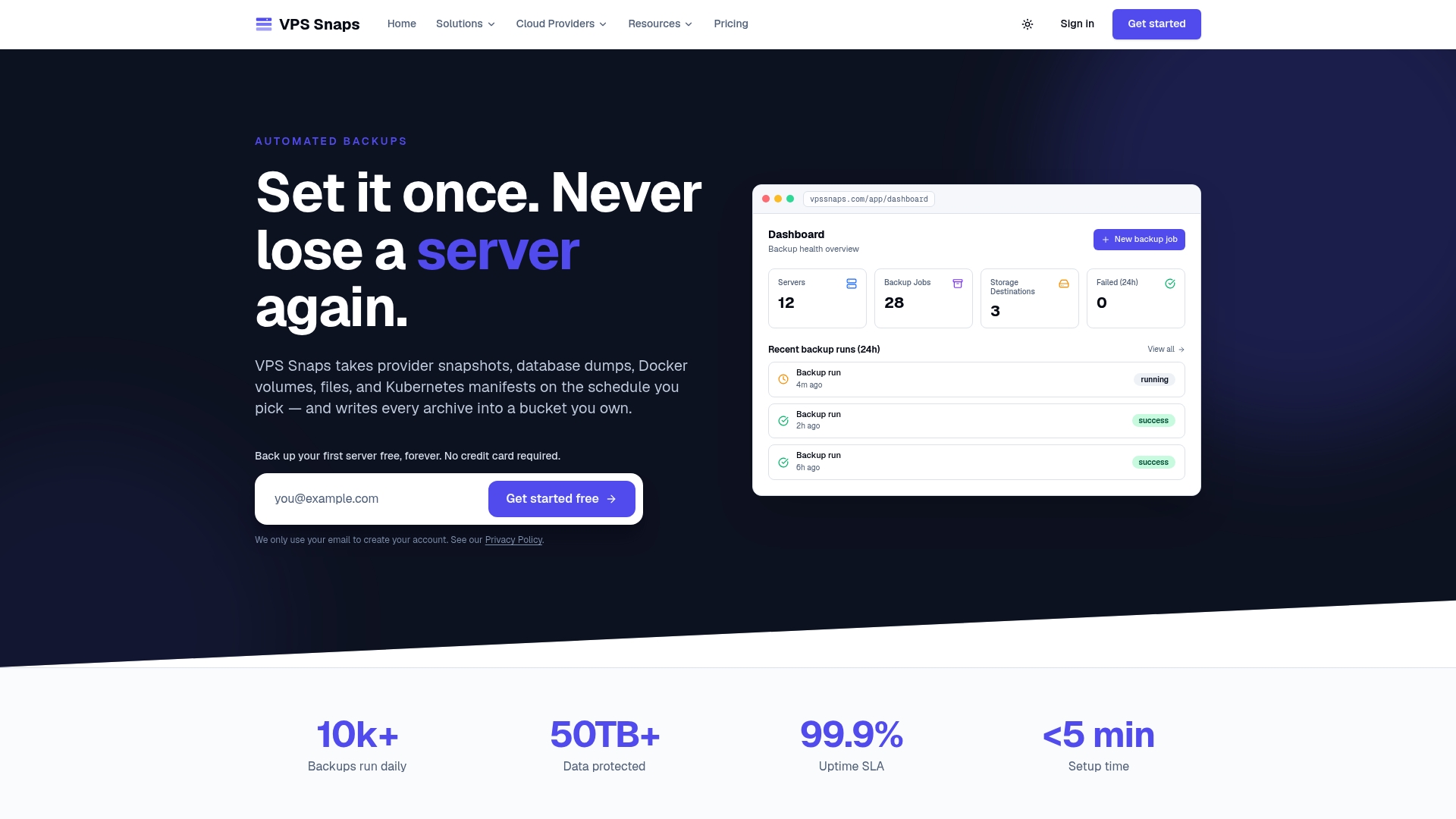
A quick proof of concept takes less than an hour. Pick one cloud provider you already run on, whether that’s AWS, DigitalOcean, or another from the supported provider list, set up a scheduled snapshot, and run a restore test to confirm the data actually comes back clean. Plans start with a Free tier, and paid options range from the Starter plan at $10 per month up to the Agency plan at $117 per month, billed monthly or annually. Check the pricing page for the full breakdown and start your proof of concept today.
Sources
Microsoft’s VSS writers documentation covers the technical event chain and writer metadata behind Windows application consistency. Kubernetes’ VolumeSnapshot docs explain the CSI snapshot lifecycle and sidecar coordination. AWS’s EBS automation guide and Google Cloud’s guest-flush documentation show provider-specific scripting patterns, and NIST’s CP-9(1) guidance lays out the testing controls referenced throughout this guide.
- Writers (Volume Shadow Copy Service)
- Volume snapshots - Kubernetes
- Automate application-consistent EBS snapshots
- Creating Linux application-consistent Persistent Disk snapshots - Google Cloud
FAQ
What Are the Four Types of Backups?
The four common backup types are full, incremental, differential, and synthetic full backups, each varying in how much data they capture per run and how fast they restore. Application-aware backups aren’t a fifth type on that list; they’re a consistency method that can apply to any of the four, ensuring the data captured, regardless of type, is transactionally clean.
Can Veeam Create Application-Aware Backups?
Yes, Veeam supports application-aware image processing through Microsoft VSS on Windows guests, coordinating writer freeze and thaw events during the snapshot process. For Linux workloads, Veeam and similar platforms rely on pre-freeze and post-thaw scripts rather than VSS, following the same guest-flush pattern described earlier.
What Is the Best Backup Software for Virtual Machines?
There’s no single best option since it depends on your hypervisor, OS mix, and whether you need cloud-native provider snapshots or hypervisor-level backups. For teams running VMs on cloud providers rather than on-premises hypervisors, VPS Snaps handles scheduled provider-native snapshots with encrypted credentials and detailed run logs across seven major cloud providers.
What Should I Look For in Application Backup Solutions?
Look for explicit application detection, not just raw disk or volume snapshots, along with documented consistency methods (VSS, guest-flush, or CSI hooks depending on platform). Encrypted credential storage, detailed run logs, and data that lands in storage you control rather than a proprietary vault are the other non-negotiables for enterprise use.
How Often Should I Test Application-Consistent Backup Restores?
Tier 0 systems like databases and authentication services warrant monthly application-level restore tests, validating logins and sample transactions rather than just file presence. Lower-tier workloads can move to quarterly or semi-annual testing, but NIST’s CP-9(1) guidance treats any untested backup as an unverified control regardless of tier.