Recover From Ransomware: Backup Strategy for IT With Immutable Copies
Recover From Ransomware: Backup Strategy for IT With Immutable Copies

The right ransomware backup strategy combines a 3-2-1-1-0 architecture with three controls that most programs skip: an immutable or offline copy attackers cannot reach, a backup identity plane fully separated from production credentials, and automated restore verification that catches failures before an incident does. Architecture alone will not save you. Recovery depends on tested runbooks, not just copies sitting in storage. Start by adding an offline or immutable copy, splitting your backup accounts from production, and standing up automated restore testing this quarter.
TL;DR:
- Offline or immutable backups are essential to defeat attackers who attempt to delete or encrypt accessible copies before encrypting production data.
- Implementing separate identity systems and MFA controls for backup accounts prevents attackers from gaining the permissions needed to modify or delete backups.
- Automated restore verification should run frequently, with critical systems tested daily and full recovery exercises conducted quarterly to ensure recoverability.
- Backup copies must be stored with Object Lock in compliance mode and verified regularly to prevent silent corruption and maintain zero unresolved errors.
- Extending the backup scope to include golden images, application artifacts, and infrastructure templates reduces recovery time and helps rebuild environments efficiently after an incident.
Table of Contents
- Core principles and the 3-2-1-1-0 rule explained for ransomware resilience
- Architecture layers: immutability, air-gap and offline copies, and separate identity planes
- Implementation checklist: configuration settings and operational controls you must set
- Backing up the infrastructure: golden images, IaC, application artifacts and logs
- Verification and testing: automated restores, integrity checks, and the ‘0 errors’ requirement
- Recovery runbooks and prioritized restores: RTO/RPO and clean-room rebuilds
- Operational controls and monitoring: detecting attempts to inhibit recovery
- Governance, compliance, and incident response integration
- Publisher E-E-A-T: mapping an automated snapshot service to the recommended architecture
- Practical takeaways and trade-offs from an experienced backup practitioner
- How VPS Snaps helps automate snapshot delivery and logging
- Sources
- FAQ
Core principles and the 3-2-1-1-0 rule explained for ransomware resilience
The 3-2-1 rule has been the baseline for backup design for years: three copies of data, on two different media types, with one copy offsite. Ransomware changed the calculus. Attackers now actively hunt for and encrypt or delete accessible backups before triggering encryption on production systems, which is why CISA’s StopRansomware Guide extends the model to 3-2-1-1-0: three copies, two media types, one offsite, one offline or immutable, and zero unresolved verification errors.
Each addition maps to a specific attacker behavior. The offline or immutable copy defeats an attacker who has already compromised your network and is looking for backup shares to encrypt. The zero-errors requirement forces you to prove recoverability instead of assuming it, since a backup job that “completed” but restores corrupted files is functionally worthless during an incident.
Turning this into an architecture means translating business recovery objectives into tiers rather than applying one policy everywhere:
- Tier 1 (critical systems): RTO measured in hours, requiring immutable snapshots plus an offline copy and daily automated restore checks.
- Tier 2 (important but not customer-facing): RTO measured in a day or two, weekly restore verification is usually sufficient.
- Tier 3 (archival or low-impact data): Monthly verification with standard retention locks.
Regulated environments, or organizations holding data with strict legal retention requirements, often adopt a stronger 4-3-2 variant: four copies, three media types, two offsite locations. That extra redundancy costs more in storage and orchestration, so it is worth reserving for data where a single-location failure would be catastrophic rather than applying it uniformly.
Architecture layers: immutability, air-gap and offline copies, and separate identity planes
Immutability is not a checkbox, it is a configuration decision that can be undone if you get the scoping wrong. Object Lock in compliance mode, available on S3-compatible storage, prevents deletion or modification of objects for a set retention period, even by the account root user. Governance mode is weaker: it allows users with special permissions to override the lock, which defeats the purpose if an attacker escalates privileges inside your backup account.

Air-gapping is the older, blunter version of the same idea. A tape vault physically disconnected from the network, or removable media rotated offsite, cannot be reached by malware traversing your production environment no matter how privileged the attacker becomes. Some teams use a write-only cross-account flow instead: production systems can push data into a backup account but hold no permissions to read, list, or delete what is already there. That asymmetry is the point.
The identity plane matters as much as the storage layer. If the same administrative credentials that manage production servers can also modify or delete backups, you do not have a second copy, you have a single point of failure with extra steps. Design a backup account or tenant that:
- Uses credentials that are never valid against production infrastructure.
- Requires a separate identity provider or a distinct MFA enrollment from production admin accounts.
- Grants write-only access to production systems and reserves delete permissions for a small, audited group.
- Sits in a different cloud account or provider than the workloads it protects where feasible.
Pro Tip: Test your air-gap by trying to delete a backup using your normal production admin credentials. If it succeeds, the air-gap exists on paper only.
Implementation checklist: configuration settings and operational controls you must set
Getting the architecture right on a whiteboard means little if the underlying settings are wrong. This is the configuration work that turns intent into a defensible posture.
- Enable Object Lock and versioning on every bucket holding backup data, and set retention in compliance mode so no single identity, including root, can shorten it.
- Require multi-party approval for any change to retention policy or for deleting a locked object once the retention window is real.
- Enforce MFA on every account with any backup-related permission, including read-only monitoring roles.
- Create dedicated backup operator accounts that exist only to run backup and restore jobs, scoped with least privilege rather than administrative access.
- Segment backup infrastructure onto its own network path, and remove SMB and NFS exposure from backup targets since both protocols are common ransomware propagation vectors.
- Harden backup endpoints by disabling unused services and patching backup software on the same cadence as production systems, not as an afterthought.
- Separate encryption key custody from backup administration using a KMS or HSM, so the person who can restore data is not automatically the person who can decrypt it unchecked.
- Store credentials encrypted at rest and rotate them on a fixed schedule rather than only after a suspected compromise.
Pro Tip: Audit who can delete a backup object at least once a quarter. Permission creep from onboarding, offboarding, and role changes is the most common way immutability quietly breaks.
None of this is exotic. It is the discipline of treating backup infrastructure with the same rigor as production identity and access management, which is precisely the gap CISA’s guidance points to when it recommends offline, encrypted backups tested regularly for integrity.
Backing up the infrastructure: golden images, IaC, application artifacts and logs
Backing up data without the environment that runs it produces long recovery timelines. NIST/NCCoE guidance for managed service providers recommends protecting golden images, Infrastructure-as-Code templates, and application binaries, not just databases and file shares, because rebuilding a server from scratch after an incident takes far longer than restoring from a known-good template.
Keep these categories in your offline or immutable backup scope:
- Golden images and VM templates for every server role, refreshed whenever base configurations change.
- Container manifests and Kubernetes definitions, including persistent volume configurations, so a cluster can be rebuilt rather than reconstructed by memory.
- Infrastructure-as-Code templates covering networking, security groups, and provisioning scripts.
- Application binaries, install media, and license keys, stored separately from the systems they support so a compromised license server does not also take out your ability to reinstall software.
- Credentials and configuration secrets, kept offline and outside the same vault used for daily operations.
Logs and the backup catalog deserve their own attention. The catalog, the index that tells your backup software what exists and where, is a common attacker target: delete or corrupt it, and recoverable backups become invisible or unusable. Retain logs and catalog data with the same integrity checks applied to the backups themselves, and keep retention windows long enough to cover the typical dwell time between initial compromise and detonation, which incident data consistently shows can run into weeks.
Verification and testing: automated restores, integrity checks, and the ‘0 errors’ requirement
A backup you have not restored is a hypothesis. The “0” in 3-2-1-1-0 means zero unresolved verification errors, and meeting that bar requires automated checks running continuously, not a manual spot check once a year.
Three layers of verification work together. Hash and manifest checks confirm that stored objects match what was written, catching silent corruption. Automated mount or restore tests spin up a sample of backed-up systems on a schedule and confirm they boot and respond, catching the failures that a completed backup job status will never show you. Full end-to-end restore exercises, run less frequently, validate that an entire recovery runbook works under realistic conditions.
| Tier | Automated check | Full restore test | Scenario exercise |
|---|---|---|---|
| Critical (Tier 1) | Daily | Quarterly | Annual |
| Important (Tier 2) | Weekly | Semiannual | Annual |
| Archival (Tier 3) | Monthly | Annual | As needed |
Track a small set of metrics to know whether the program is working: restore success rate across automated tests, time-to-restore against your stated RTO, and the size of the verification window, meaning how long it takes to confirm a backup is good after it completes. Document every failure and its resolution. A “0 errors” claim only holds up if you can show the log of tests run and issues closed, which is the kind of evidence a restore validation checklist can help formalize for teams building this discipline from scratch.
Recovery runbooks and prioritized restores: RTO/RPO and clean-room rebuilds
Architecture and verification set you up to recover. Runbooks are what make that recovery fast and safe under pressure, when the instinct to restore everything at once usually makes things worse.
- Build a prioritized critical asset list that maps every system to its RTO and RPO, agreed with the business owners who depend on it, not assumed by IT alone.
- Write a runbook per asset or asset group specifying restore order, dependencies, and the exact steps to bring it back, tested well before you need it during an incident.
- Use an isolated recovery environment, a clean room separate from production, to restore and inspect systems before reconnecting them, since restoring directly into a still-compromised network risks re-infection.
- Perform out-of-place restores rather than overwriting existing systems, so you retain the original (possibly infected) copy for forensic analysis.
- Pre-provision recovery networks and automation using the same Infrastructure-as-Code templates covered earlier, cutting the time between “decision to restore” and “systems back online.”
The clean-room step is the one most teams skip under time pressure, and it is the one that prevents restoring straight back into an environment where the attacker’s dropper malware is still waiting. CISA’s guidance explicitly calls for triaging and hunting for precursor malware before rebuilding, which is exactly what an isolated recovery environment is designed to support.
Operational controls and monitoring: detecting attempts to inhibit recovery
Attackers do not just encrypt data, they try to disable your ability to recover it first. Detection rules should treat that behavior as a serious signal on its own.
- Alert on backup-targeted OS commands, including
vssadmin delete shadows,bceditchanges to boot recovery options,fsutilusage against volume shadow copies, and unexpectedwbadmininvocations. - Flag anomalous backup deletions, especially bulk deletes or retention policy changes originating outside change-control windows.
- Centralize log retention in a system separate from production, with tamper-evident storage so an attacker who reaches the SIEM cannot erase their own trail.
- Require multi-person approval for any destructive action against backup infrastructure, mirrored from the delete controls covered in the implementation checklist.
These controls exist because immutability and air-gapping only work if you catch the attempt to bypass them early. A layered backup architecture built around administrative separation treats detection as part of the same control set as the storage configuration, not a separate afterthought.
Governance, compliance, and incident response integration
Backup architecture only functions as resilience if it is written into policy, not left as an engineering preference. Document who owns backup decisions, how backup status feeds into your incident response plan, and what triggers legal or regulatory notification obligations tied to data availability.
Retention and audit requirements from your regulatory environment, where applicable, should shape backup architecture directly, since a compliance mandate for record retention has real implications for how long immutable copies must be kept. Build backup recovery drills into your existing incident response exercises rather than treating them as a separate tabletop, and feed lessons learned back into both documents after every real incident or major test.
Publisher E-E-A-T: mapping an automated snapshot service to the recommended architecture
An automated, S3-compatible snapshot service like VPS Snaps covers real ground in this architecture: scheduled provider snapshots streamed directly into buckets you own, encrypted credential storage, and detailed run logs that record every successful operation and flag failures. Those capabilities address the automation and auditability parts of the checklist directly.
They do not replace the architectural decisions covered above. Evaluate any snapshot tool, including this one, against the same questions:
- Does the tool support delivery into a bucket you control, separate from the account that created the snapshot?
- Can you layer Object Lock and retention policies on top of the destination storage yourself?
- Do run logs give you enough detail to prove zero unresolved verification errors during an audit?
- Does the vendor’s model require you to configure backup account separation and multi-person delete approval independently, or does it assume that for you?
A tool that automates snapshot delivery still leaves object lock configuration, offline copy strategy, and access governance as the customer’s job.
Practical takeaways and trade-offs from an experienced backup practitioner
Most teams do not fail at backup strategy because they lack a diagram. They fail because immutability gets configured in governance mode instead of compliance mode, or because the “separate” backup account still trusts the same identity provider as production, quietly collapsing the separation that made it useful.
For lean teams, the highest-value order of operations is: get an offline or immutable copy working first, then separate the identity plane, then build automated restore testing. Regulated environments should invest earlier in retention governance and multi-person approval, since audits will ask for evidence, not intentions.
The fastest resilience gain most organizations can make in a quarter is starting automated restore verification on their most critical systems. It is cheap, it is measurable, and it exposes the gap between “backup completed” and “backup recoverable” before an attacker does.
— Scott
How VPS Snaps helps automate snapshot delivery and logging
VPS Snaps handles the piece of this architecture that eats the most engineering time: scheduled snapshots across seven major cloud providers, streamed directly into storage buckets you own, with encrypted credential storage and run logs that track every operation and alert on failures.
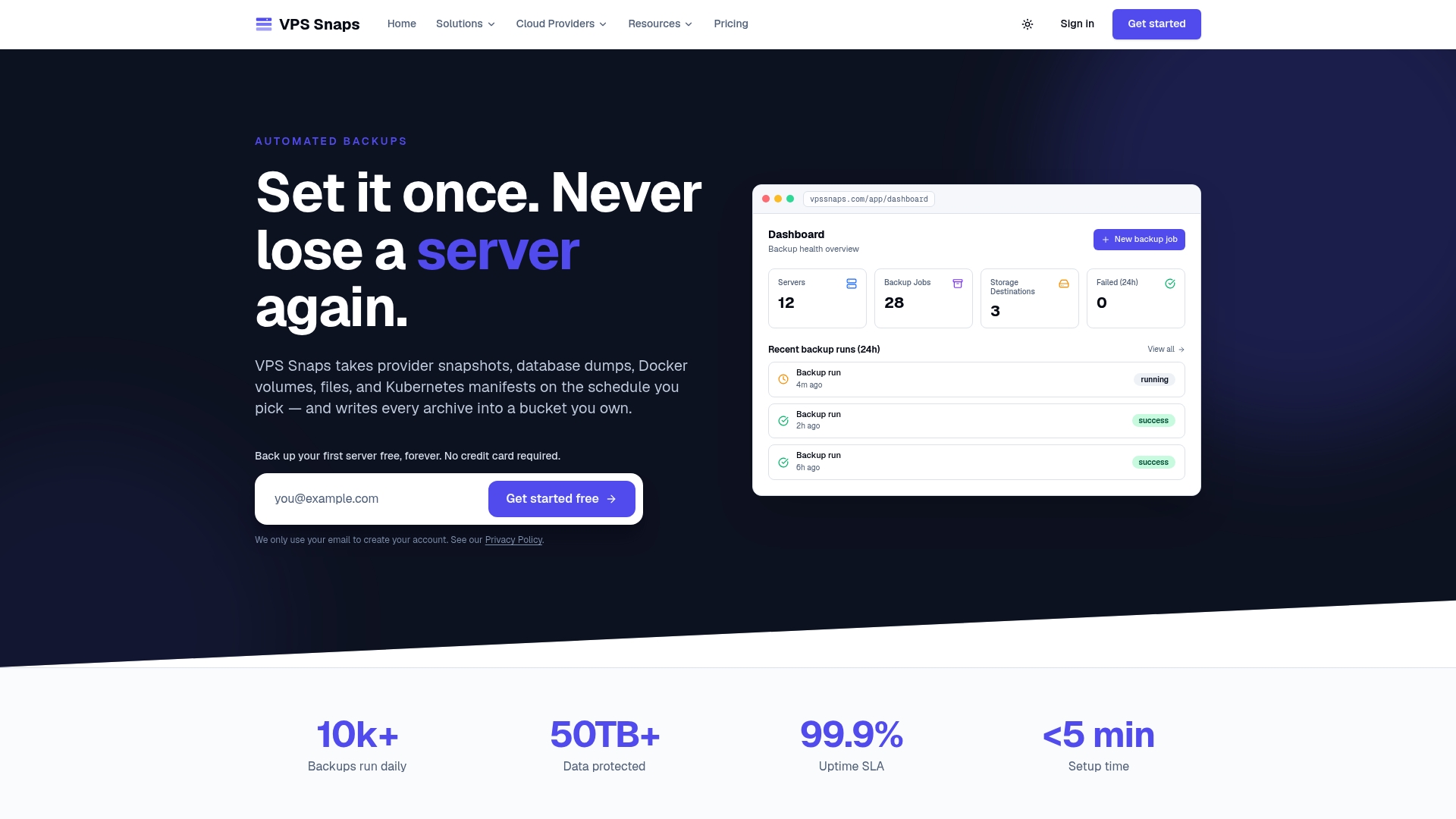
That covers the automated delivery, auditability, and multi-provider consistency this guide calls for. It does not cover backup account separation, Object Lock configuration, offline copy strategy, or multi-person delete approval, all of which remain decisions you configure and control on your own storage and identity systems. The positioning is deliberate: snapshot artifacts stay in your own provider account rather than a proprietary format, so restoring does not depend on the tool that created the backup.
- Automated, scheduled snapshots across servers, databases, Docker volumes, and Kubernetes manifests.
- Delivery into S3-compatible buckets you own, not vendor-held storage.
- Encrypted credential handling and per-run logs for audit evidence.
Teams ready to fold automated snapshot delivery into a broader ransomware-resilient architecture can review plans starting at $10 per month on the VPS Snaps pricing page and start a free trial to test the setup against their own recovery runbooks.
Sources
This guide draws on CISA’s StopRansomware Guide, CISA’s data backup options brief, and NIST/NCCoE MSP backup recommendations, alongside published technical references on backup architecture and restore validation practices.
FAQ
What is the 3-2-1 rule for backing up?
The 3-2-1 rule calls for three copies of your data, stored on two different media types, with one copy kept offsite. It is the long-standing baseline that modern ransomware guidance builds on, adding immutability and verification requirements on top.
What are the three types of backup strategies?
The three common backup approaches are full backups, which copy everything each time; incremental backups, which copy only changes since the last backup; and differential backups, which copy changes since the last full backup. Most production environments combine full and incremental jobs to balance storage cost against restore speed.
What is the 3-2-1-1-0 backup rule?
The 3-2-1-1-0 rule extends the classic 3-2-1 model with two additions: one copy must be offline or immutable, and the backup set must show zero unresolved verification errors. CISA recommends this model as the modern baseline because it directly counters ransomware that hunts for and deletes accessible backups.
What is the most secure backup strategy?
The most secure approach layers an immutable or air-gapped offline copy with a backup identity plane that is fully separate from production credentials, plus automated restore testing that proves recoverability rather than assuming it. No single control is enough on its own. It is the combination that closes the gaps attackers rely on.
How often should backups be tested for restoration?
Critical systems should have automated restore checks running daily, with full restore exercises at least quarterly. Less critical tiers can shift to weekly or monthly automated checks with semiannual or annual full restore tests, depending on how much downtime the business can tolerate.