Ransomware Backup Protection: 7 CISA Priorities for API Snapshots
Ransomware Backup Protection: 7 CISA Priorities for API Snapshots

The single most effective defense is a layered one: immutable or offline backups that attackers cannot alter, strong encryption with tightly controlled credentials and multi-factor authentication, and restore procedures you have actually tested. Skip any one piece and the other two lose most of their value when an attack hits.
TL;DR:
- Use provider snapshots with object lock rather than simple file sync, which can copy already encrypted files into backups without warning.
- Separate backup accounts and networks from production, restrict service accounts to necessary actions, and require phishing resistant multifactor authentication for configuration access.
- Smaller organizations can begin with monthly full restores of a critical service, then verify that applications run and restored data passes integrity checks.
- Retain administrative and PowerShell activity logs for 180 days, and alert on mass snapshot changes, retention edits, and unfamiliar backup access.
- Keep multiple backup generations for longer than an attacker may remain undetected, and set retention and recovery targets separately for each asset tier.
Table of Contents
- Prioritized checklist: immediate protections to implement
- Immutable and offline backups: what they are and how to implement them
- Encryption, credential hygiene, and access control for backup systems
- Restore testing and validation: runbooks, golden images, and verification steps
- Retention and versioning: plan for ransomware dwell and recovery windows
- Isolation and segmentation patterns for backup infrastructure
- Operational controls: logging, monitoring, and protecting backup workflows
- Recovery planning and cyber vaults: staged reconstitution and Cyber RTO/RPO
- How VPS Snaps maps to ransomware backup protection best practices
- Practitioner perspective: prioritizing defenses when staff or budget are limited
- VPS Snaps: how to get started
- FAQ
- Sources
- Authoritative primary sources
Prioritized checklist: immediate protections to implement
Before diving into architecture decisions, work through the controls that matter most first. CISA and the FBI treat offline, encrypted, immutable backups covering your entire data infrastructure as a baseline mitigation, so these steps map directly to that guidance.
- Create at least one immutable or offline copy of critical data, using object lock or a genuine air gap.
- Encrypt backups at rest and in transit, and lock down the credentials that can access or delete them.
- Separate backup accounts and networks from production so a compromised server cannot reach backup storage.
- Run a restore drill on your most critical system and document the result.
- Set retention and versioning deep enough to recover a clean copy from before the attacker’s dwell time began.
- Turn on logging and alerting for backup operations, not just production systems.
- Fold backup recovery into your incident response plan instead of treating it as a separate afterthought.
A few principles cut across all seven steps:
- Immutable or offline copies that resist deletion and encryption matter more than backup frequency alone.
- Credential hygiene, including MFA and least privilege, prevents attackers from simply logging in and wiping your safety net.
- Untested backups are a guess, not a plan: regular restore drills convert backups into actual recoverability.
- Retention windows need to outlast typical attacker dwell time, not just cover routine data loss.
Each of these gets its own deeper treatment below, starting with immutability, since it is the control most advisories call out first.
Immutable and offline backups: what they are and how to implement them
Immutability means a backup cannot be modified or deleted for a defined period, even by someone holding valid credentials. Object lock and write-once-read-many (WORM) storage enforce this at the storage layer. A physical air gap takes a copy offline entirely, on tape or disconnected media. A logical air gap achieves a similar effect without physical media, by using separate accounts, credentials, and network paths so that compromising production systems does not grant access to backup storage.
CISA’s ransomware guidance warns that automated cloud backups relying on simple file sync can actually propagate ransomware: if the local copy is already encrypted, a sync job faithfully copies that encrypted version into your backup store. That is why provider snapshots paired with object lock on a user-owned bucket work better than sync-based replication. Snapshots taken through a cloud provider’s API can be written directly into storage with retention locks applied, so even an attacker with access to the snapshot orchestration tool cannot delete the underlying locked objects before their retention period expires.
Choosing between tape, air-gapped hardware, and immutable cloud storage usually comes down to recovery speed versus operational overhead:
- Tape and air-gapped hardware offer strong isolation but slower recovery times and manual handling.
- Immutable cloud storage with object lock offers fast recovery with similar protection against deletion.
- A hybrid approach, immutable cloud copies for fast recovery plus periodic offline exports for worst-case scenarios, covers both failure modes.
Pro Tip: Apply object lock retention at the bucket level before you ever need it. Retroactively locking objects after an incident starts is too late.
Encryption, credential hygiene, and access control for backup systems
Encrypting backups at rest and in transit is table stakes, but encryption alone does not stop an attacker who has stolen the credentials used to manage your backup system. Where possible, manage encryption keys separately from the backup storage itself, so compromising one does not automatically compromise the other.
Credential and access controls deserve equal attention:
- Apply least privilege to backup service accounts, limiting them to only the actions they need, such as write and list, not delete.
- Separate the roles that create backups from the roles that can modify retention settings or delete objects.
- Enforce phishing-resistant MFA on any account with access to backup configuration or storage.
- Rotate service credentials and API keys on a defined schedule, not only after a suspected compromise.
- Log every backup operation, including creation, access, and deletion attempts, with timestamps and the identity involved.
Even immutable storage does not remove the need for guarded credentials. Attackers increasingly target the orchestration layer, the tool or script that manages backups, since reaching it can expose paths to delete or disable protections even when the stored objects themselves are locked, a point CISA’s ransomware guidance makes explicit.
Encrypted credential storage paired with detailed run logs closes much of this gap: every backup job leaves an auditable trail, and credentials never sit in plaintext scripts where a lateral-movement attacker can find them.
Restore testing and validation: runbooks, golden images, and verification steps
A backup nobody has restored is an assumption, not a safeguard. CISA’s StopRansomware playbook treats testing backups as equally critical to creating them, since an unvalidated backup is functionally useless when you actually need it.
- Set a testing cadence based on risk: smaller organizations can start with a monthly full restore of one critical service, while larger environments move toward continuous or automated verification.
- Test at the application level, not just the file level, confirming that a database actually starts and serves correct data after restore, not merely that files copied successfully.
- Run integrity checks against restored data, comparing checksums or record counts to catch silent corruption.
- Keep golden images and infrastructure-as-code definitions offline and version-controlled, so you can rebuild a clean server even if your configuration management system is also compromised.
- Write runbooks that document exact steps, expected outcomes, and the person responsible for each restore scenario.
Each runbook should state its success criteria plainly: how long the restore should take, what “working” looks like for that system, and who signs off before it goes back into production.
Pro Tip: Schedule your next restore drill on the calendar right now, not as a someday task. Drills that aren’t scheduled rarely happen.
Retention and versioning: plan for ransomware dwell and recovery windows
Retention policy only works if it reaches back further than the time an attacker sat quietly in your network before triggering encryption. Tier your assets by criticality first: a customer database warrants a different retention and recovery point objective (RPO) than a staging server.
- Keep multiple generations of backups, not just the most recent, so you can restore from a point before the compromise began.
- Set recovery time objective (RTO) and RPO figures per tier, then build retention windows that satisfy both.
- Use short-term, fast-access storage for recent recovery points and move older generations to long-term immutable archives.
- Balance cost against risk: longer retention costs more to store but reduces the chance that every available copy is already compromised.
A simple retention matrix might assign daily snapshots with 14-day retention for critical databases, weekly snapshots with 90-day retention for application servers, and monthly archives with one-year retention for compliance records. For a deeper walkthrough of building these tiers, see our backup retention matrix for ransomware dwell times.
Isolation and segmentation patterns for backup infrastructure
Segmentation limits how far an attacker can move once they compromise a single server, and backup infrastructure deserves the same isolation logic as any other sensitive system.
- Use separate cloud accounts or projects for backup storage, so credentials compromised in production carry no access to backup resources.
- Place restore environments on isolated networks or dedicated VLANs during recovery, preventing a restored but potentially reinfected system from touching live production.
- Review automated sync rules carefully: a sync job that mirrors changes in near real time can propagate encrypted files before anyone notices the attack.
- Consider keeping at least one backup copy with a different provider or outside your primary cloud account, reducing the chance that a single compromised credential set exposes every copy you have.
Pro Tip: Treat your backup account like a separate tenant with its own access policy, not an extension of production permissions.
Multi-cloud or off-account copies add operational complexity, but that complexity buys real protection against the scenario where one compromised identity provider or cloud account grants access to everything you own.
Operational controls: logging, monitoring, and protecting backup workflows
Detection matters as much as prevention once an attacker is inside your environment. Enable enhanced logging, including PowerShell script block logging and administrative event tracking, and retain those logs long enough to support a forensic investigation. CISA/FBI advisories recommend retaining logs such as PowerShell activity for 180 days to support response efforts after an incident.
Specific signals worth alerting on:
- Mass deletion or modification of snapshots within a short time window.
- Unexpected changes to retention or object-lock settings.
- Backup credential use from an unfamiliar IP address or at an unusual time.
- Repeated failed authentication attempts against backup management interfaces.
Over 3,600 ransomware complaints and more than $32 million in reported losses were logged in a single year, according to the IC3 2025 Annual Report, a reminder that backup monitoring is not a theoretical exercise.
Feeding backup telemetry into your SIEM or EDR platform lets these alerts trigger the same incident response workflows as any other security event, rather than sitting in a separate, easily ignored dashboard. Encrypted credential stores paired with run logs that flag failures automatically give your team the visibility needed to catch problems before an attacker exploits them.

Recovery planning and cyber vaults: staged reconstitution and Cyber RTO/RPO
A cyber vault is an isolated environment where backups are stored and validated before they ever touch production again. Recovery from a cyber vault is intentionally slower than a routine restore, since the added steps, forensic verification, malware scanning, and integrity checks, all extend the timeline. Plan your Cyber RTO and Cyber RPO figures to reflect that reality rather than assuming vault recovery matches ordinary backup speed.
- Restore the suspect data into an isolated test environment first, never directly back into production.
- Scan the restored environment thoroughly for malware or residual attacker tooling before trusting it.
- Validate data integrity against checksums or known-good records from before the incident.
- Reintroduce systems to production in controlled stages, monitoring closely for signs of reinfection.
Keep installers, license keys, and golden images stored offline and separate from your production environment, so a full rebuild does not depend on systems that might themselves be compromised. Physical readiness matters here too: organizations planning for extended recovery windows should also account for facility-level resilience, including backup power planning covered in resources on data center backup power for IT managers.
How VPS Snaps maps to ransomware backup protection best practices
We built VPS Snaps around the controls above rather than treating them as an afterthought. Our automated, S3-compatible backup service uses provider APIs to create snapshots that stream directly into storage you control, so there is no intermediate staging system for an attacker to target.
- We store credentials encrypted and generate detailed run logs for every backup job, supporting the audit trail CISA guidance calls for.
- We automate retention policies across seven cloud providers, helping teams apply the immutable backup practices this article describes without manual scripting.
- We keep snapshot artifacts tied to your own provider account, so restoring data never depends on our platform staying available.
Practitioner perspective: prioritizing defenses when staff or budget are limited
Start small and specific: pick your single most critical dataset, make one copy immutable, and run a basic restore test this week. Next, lock down credentials and enable MFA on anything that touches backup storage, then split backup accounts from production. Only after those three pieces hold should you expand coverage and refine retention, since partial protection on your most important system beats comprehensive planning that never gets implemented.
— Scott
VPS Snaps: how to get started
Everything covered here, immutable storage, encrypted credentials, run logs that catch failures early, is built into how we handle backups for servers, databases, and containers. 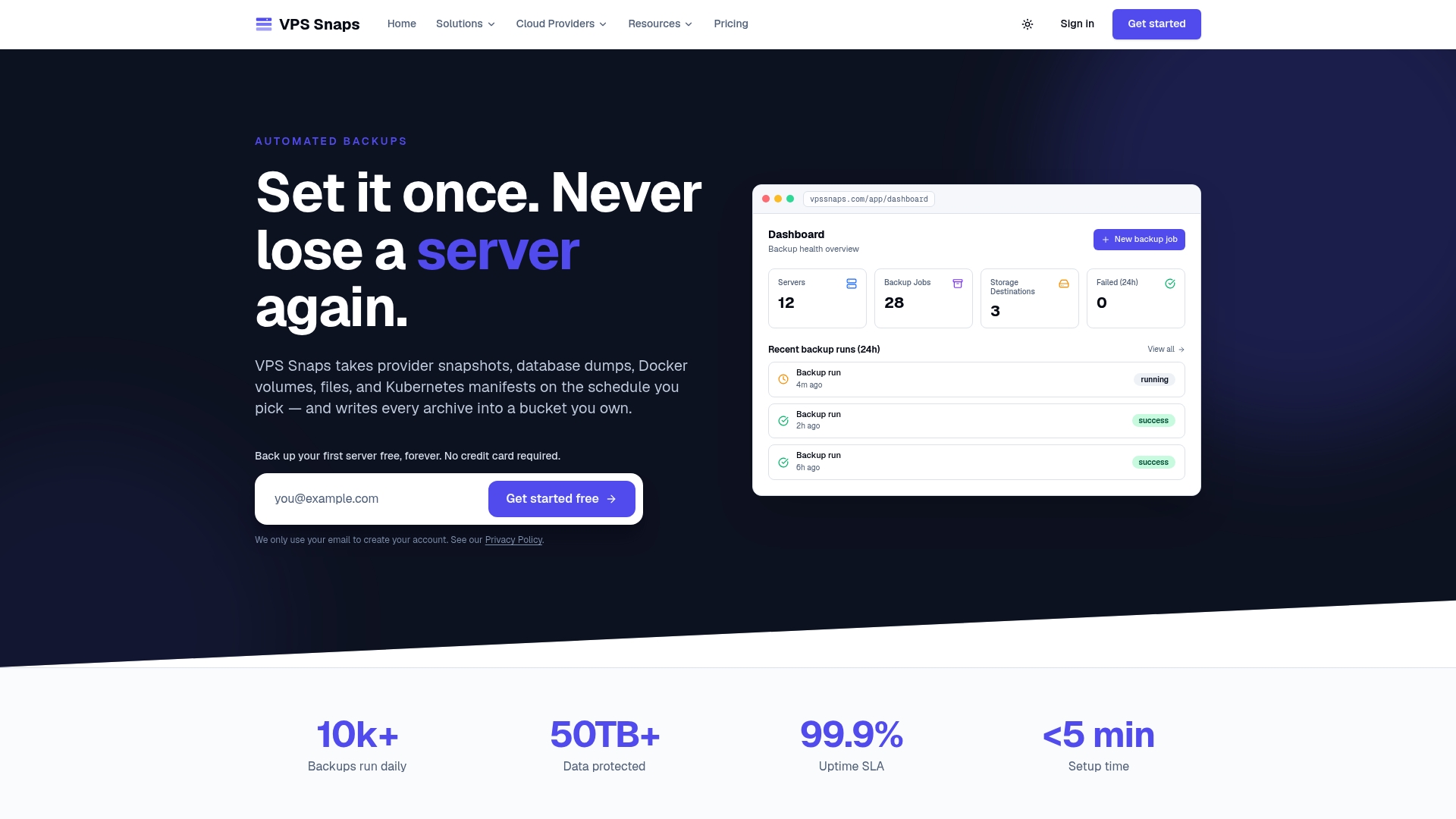
- Review our plans and pricing for current details on pricing and plans.
- Browse our backup guides and tutorials for provider-specific setup steps.
FAQ
What is the best defense against ransomware?
The strongest defense against ransomware attacking your backups is a combination of immutable or offline copies, strict credential controls with MFA, and regularly tested restore procedures, a baseline CISA and the FBI recommend across sectors. No single control is sufficient on its own, since attackers routinely target whichever layer is weakest.
What is a ransomware virus?
Ransomware is malicious software that encrypts files on a victim’s systems, then demands payment in exchange for a decryption key. It often spreads after an attacker gains initial access through phishing, stolen credentials, or unpatched software, then moves laterally before triggering encryption.
Is there a difference between ransomware and malware?
Malware is the broad category covering any malicious software, including viruses, spyware, and trojans. Ransomware is a specific type of malware distinguished by its goal: encrypting data and extorting payment for its release.
Why are backups critical in responding to ransomware attacks?
Backups give you a way to restore encrypted data without paying a ransom or relying on an attacker’s decryption tool. CISA’s Ghost ransomware advisory notes that victims with unaffected backups often restored operations without paying, which illustrates why segmented, offline, or immutable copies matter so much.
How often should we test backup restores?
Testing frequency should match your risk tolerance: smaller organizations can start with monthly full restores of their most critical systems, while larger environments often move toward continuous or automated verification, per CISA’s StopRansomware playbook. A backup that has never been restored should be treated as unverified, regardless of how long it has been running.
Sources
Authoritative primary sources
These government and industry references informed the guidance above and are worth consulting directly for the full technical detail.
- IC3 2025 Annual Report
- CISA: Ransomware Guide
- CISA AA25-203A StopRansomware: Interlock
- CISA StopRansomware Guide
- CISA AA23-319A StopRansomware: Rhysida Ransomware
- CISA AA25-050A Ghost Ransomware Advisory