Limit Ransomware Loss: IT Backup Retention Matrix for 10–21 Day Dwell
Limit Ransomware Loss: IT Backup Retention Matrix for 10–21 Day Dwell
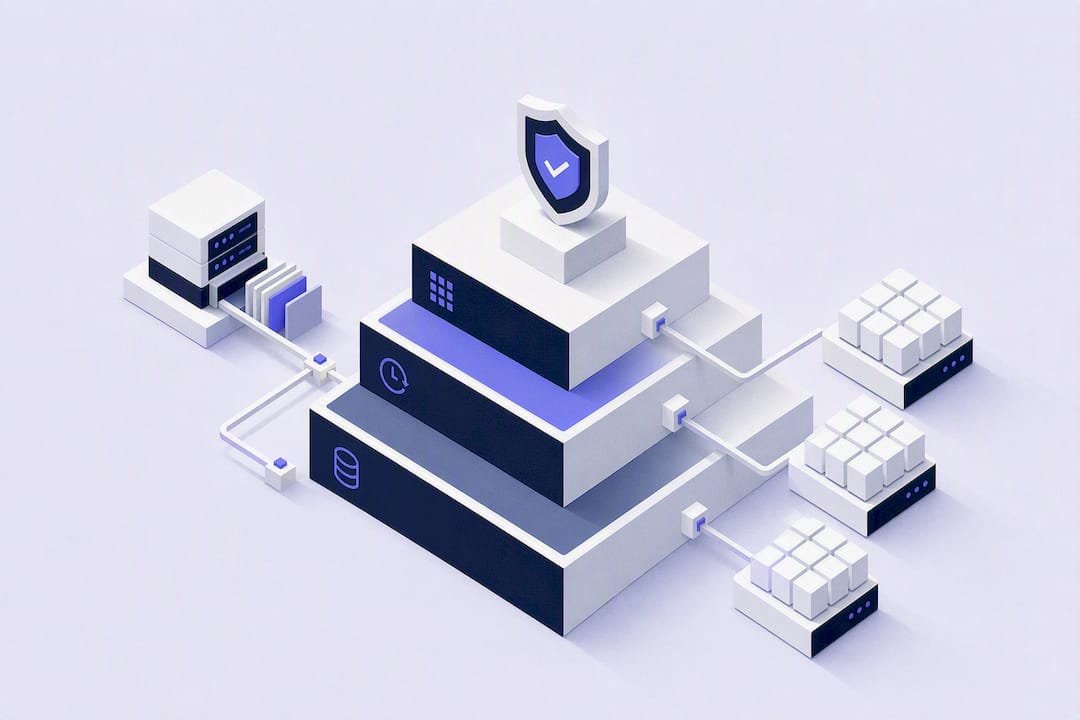
A sound backup retention policy is tiered, tied to each workload’s RPO and RTO, and sized against both compliance minimums and ransomware dwell time, not a single flat “keep everything for 30 days” rule. It runs on a rotation scheme like GFS, follows the 3-2-1 baseline (extended to 3-2-1-1-0 with an immutable copy and verification), enforces retention at the vault or bucket level, and gets tested through regular restore drills.
TL;DR:
- Backups should be retained according to workload type, with longer periods for regulated data, often extending beyond daily and weekly cycles to meet compliance demands.
- Implementing retention locks at the storage layer and automating policy assignments help prevent accidental deletions and ensure consistent enforcement across all backups.
- Retention windows must be aligned with ransomware dwell times, generally keeping immutable copies at least a few days longer than attacker activity, which is typically 10 to 21 days.
- Regular restore testing, at least quarterly, is essential to confirm backups can be recovered within your RTO and to verify the integrity of retention policies.
- Automated streaming backup tools that support retention locks, immutability, and detailed logs offer a practical, auditable alternative to manual scripting for enforcing retention rules.
Table of Contents
- What Is a Backup Retention Policy?
- How Do You Map RPO and RTO to Retention Tiers?
- Backup Retention Best Practices: Rotation, Redundancy, and Immutability
- How Do You Implement a Retention Policy Without Breaking Backups?
- Sample Retention Schedules by Workload
- How Do Legal Holds and Privacy Law Affect Retention?
- How Often Should You Test Restores?
- How Automated Snapshot Streaming Supports Retention Goals
- Governance Is the Part Everyone Skips
- A Practical Next Step for Enforcing Retention
- Sources
- FAQ
What Is a Backup Retention Policy?
A backup retention policy is the documented set of rules that decides how long each backup copy lives, where it lives, and who can delete it before that time expires. It is the difference between backups that exist and backups you can actually trust during an incident.
Every working policy documents six things:
- Scope: which workloads, accounts, and regions the policy covers
- Retention schedules: how long daily, weekly, monthly, and yearly copies are kept
- Immutability windows: how long a given copy cannot be altered or deleted, even by an administrator
- Storage locations: primary, off-site, and cross-region targets
- Access controls: who can create, modify, or delete retention rules
- Review cadence: how often the policy itself gets re-evaluated
Skipping any one of these turns an audit or a ransomware recovery into guesswork instead of a documented, defensible process.
How Do You Map RPO and RTO to Retention Tiers?
Recovery point objective (RPO) tells you how much data loss is tolerable, which sets backup frequency. Recovery time objective (RTO) tells you how fast you need to be back online, which shapes where and how copies are stored. Retention length is a separate decision layered on top of both, and it usually gets set by whichever requirement is strictest: operational recovery or compliance.
Disaster recovery copies typically stay useful for 30 to 90 days, but regulated data often has to stick around far longer. Healthcare organizations, for instance, must retain certain documentation tied to electronic protected health information for six years under the HIPAA Security Rule, regardless of what your operational recovery window looks like.
A basic retention matrix might look like this:
- Dev/test environments: 7 to 14 daily snapshots, no long-term retention needed
- Internal production: 30 daily, 12 weekly, 6 monthly
- Customer-facing production: 30 daily, 12 weekly, 12 monthly, 7 yearly
- Financial or regulatory systems: matches the applicable statute, often 6 to 7 years
- Compliance archives: retained per legal requirement, frequently with retention locks applied
Backup Retention Best Practices: Rotation, Redundancy, and Immutability
The most durable retention policies borrow from a handful of proven patterns rather than inventing new rules from scratch.
- Use a GFS rotation. Grandfather-Father-Son cycles keep daily “son” backups for short-term recovery, promote weekly “fathers” from those dailies, and roll monthly or yearly “grandfathers” into long-term archives, which is exactly how the NIST-described GFS strategy balances frequent recovery points against storage growth.
- Build on 3-2-1, then extend it. The 3-2-1 rule calls for three copies of your data, on two different media types, with one copy off-site. The modern extension, 3-2-1-1-0, adds one immutable copy and demands zero errors from automated verification.
- Size immutability windows to ransomware dwell time. Attackers often sit inside a network for 10 to 21 days before triggering an attack. If your immutability window is shorter than that, a retained backup can still get encrypted or deleted before anyone notices the intrusion.
- Enforce retention at the vault or bucket level, not just the job level. A misconfigured backup job can silently skip retention rules; a storage-layer lock cannot.
- Tier and archive to control cost. Move older recovery points to cheaper cold storage once their odds of being restored drop, instead of keeping every copy on premium storage indefinitely.
Pro Tip: Set your immutability window a few days longer than your worst-case dwell-time estimate. Attackers adjust their timelines once they know your defenses; padding the window costs little and buys real margin.
How Do You Implement a Retention Policy Without Breaking Backups?
Turning a retention policy from a document into an operational control takes a specific sequence of technical steps.
- Apply retention locks at the vault or bucket level wherever your platform supports it. Enforced retention configured at the storage layer prevents accidental or malicious deletion even when a job is misconfigured or a credential is compromised.
- Confirm retention length is always greater than or equal to creation frequency. Amazon EBS’s policy model makes this explicit: if you create backups daily but set retention shorter than 24 hours, you can end up with gaps instead of a usable history.
- Automate tagging and policy assignment so new resources inherit the correct retention tier without manual intervention, and configure cross-region copy targets for anything that needs geographic redundancy.
- Add drift monitoring and alerting. A policy change nobody logged is indistinguishable from an attack until someone proves otherwise.
- Document the change-control procedure for who can modify retention settings and under what approval.
One caveat worth flagging early: retention policies generally apply only to snapshots created after the policy takes effect, so backdating protection onto existing backups usually is not possible.
Sample Retention Schedules by Workload
Concrete numbers beat abstract rules. Here is how a tiered schedule typically plays out across common workload types:
- Small web app: 14 daily snapshots, 8 weekly, 6 monthly, no yearly tier needed
- Customer database: 30 daily, 12 weekly, 12 monthly, 7 yearly, with the yearly copies immutable
- Dev/test servers: 7 daily, no promotion beyond that, since none of this data needs to survive long-term
- Compliance archive: 7 years minimum for regulated records, stored with a retention lock applied at creation
Older daily snapshots should collapse into weekly and then monthly archives rather than accumulating forever. A database growing by dailies alone for a year produces 365 recovery points; consolidating anything past 30 days into weekly and monthly buckets keeps the count manageable without losing meaningful recovery granularity. Incremental backups compound this math further, since each incremental depends on the chain behind it. Deleting an early full backup in that chain can strand every incremental built on top of it, so retention rules for incremental sets need to account for the full backup they depend on, not just their own age.
How Do Legal Holds and Privacy Law Affect Retention?
Compliance requirements frequently override whatever your operational retention schedule would otherwise dictate. HIPAA’s six-year documentation rule is one example; financial regulations and industry-specific standards like 21 CFR Part 11 for regulated life-sciences data impose their own minimums.
A few practical rules keep this manageable:
- Legal holds suspend normal deletion schedules entirely. Once a hold is issued, no automated lifecycle rule should be allowed to purge affected data, regardless of what the standard retention tier says.
- Right-to-erasure requests collide with immutable backups. Most privacy frameworks recognize that data locked in immutable backup storage for compliance reasons cannot always be deleted on demand, but that exception needs to be documented, not assumed.
- Keep an audit trail of every hold, exception, and override, including who approved it and why, so an examiner or regulator sees a deliberate process rather than inconsistent handling.
How Often Should You Test Restores?
A retention policy that has never been tested is a hypothesis, not a control. CISA’s guidance on protecting backups treats regular restore validation as a core part of ransomware defense, not an optional afterthought.
A workable test cadence looks like this:
- Quarterly full restores to a clean environment, confirming the entire recovery path works end to end
- Monthly partial restores of high-priority databases or file sets
- Automated checksum or hash verification running continuously against stored backup files
Track a small set of KPIs: restore success rate, whether restores land inside your defined RTO, and the age of the last verified successful restore for each critical system. Alert automatically on failed verification runs and on any drift between the retention policy as documented and the retention policy actually enforced in production.
How Automated Snapshot Streaming Supports Retention Goals
Provider-API snapshots streamed directly into buckets you own solve a specific problem: enforcement that does not depend on a vendor staying in business or a proprietary restore tool working correctly. Because the artifacts sit in your own storage, vault-level retention locks and immutability settings apply the same way they would to any other object in that bucket.
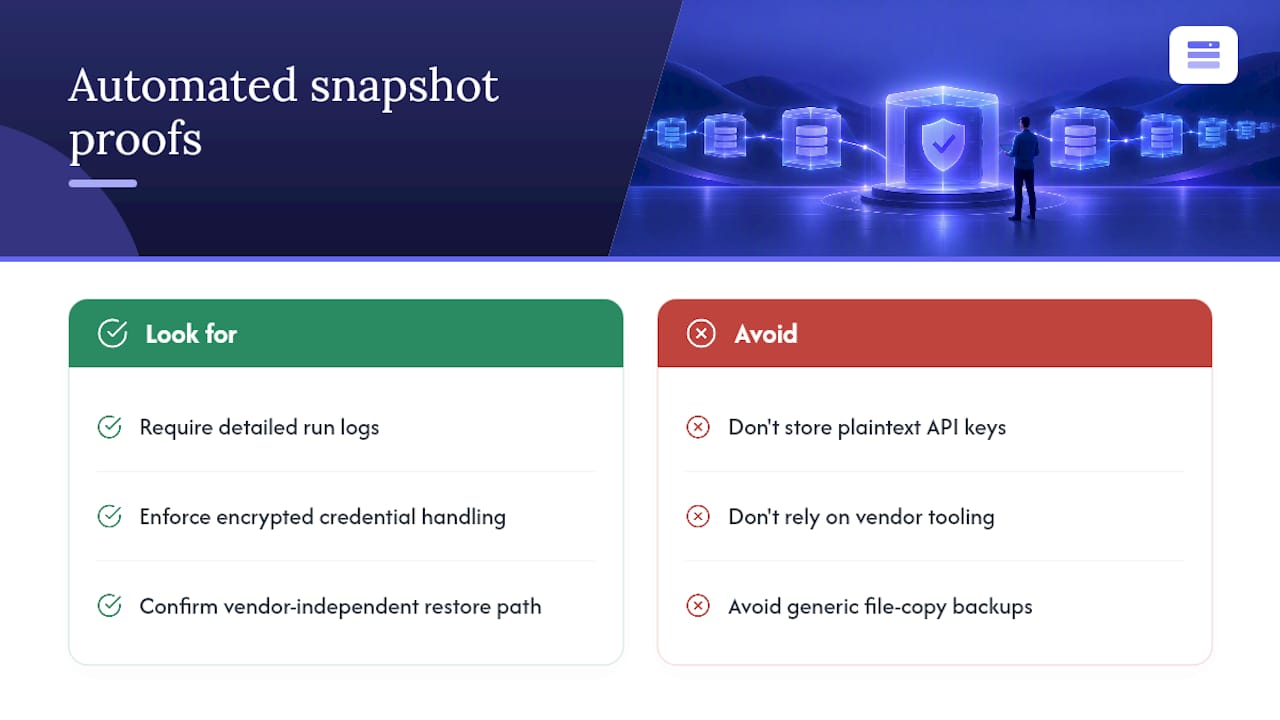
Look for three operational proofs when evaluating any snapshot approach: detailed run logs that record every success and failure, encrypted credential handling rather than plaintext API keys sitting in a script, and a restore path that works without needing the vendor’s own tooling. Server images, database dumps, Docker volumes, and Kubernetes manifests all benefit particularly from this model, since each has its own recovery quirks that a generic file-copy job tends to miss.
Governance Is the Part Everyone Skips
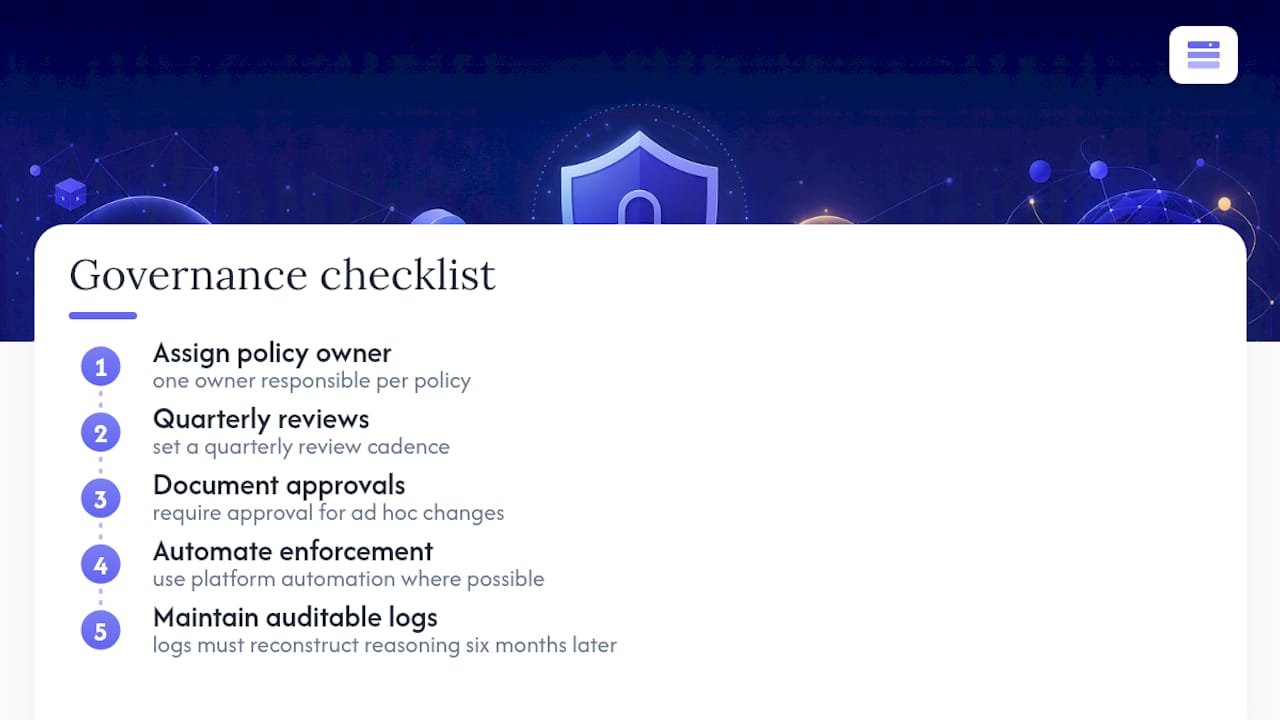
Most retention policies fail from neglect, not bad design. Someone writes a sensible schedule, and eighteen months later nobody remembers why a particular tier exists or who approved the exception that broke it.
Assign one owner per policy, set a quarterly review cadence, and require documented approval for every ad hoc change. Automate enforcement wherever the platform allows it, and keep logs auditable enough that a stranger could reconstruct the reasoning six months from now. Retention policies that survive are the ones nobody has to remember by hand.
— Scott
A Practical Next Step for Enforcing Retention
Vpssnaps gives you an alternative to hand-built scripts and unverified cron jobs: automated, S3-compatible backups that stream directly into storage buckets you own, so retention locks and lifecycle rules apply exactly the way this article describes, without proprietary restore tools tying you to one vendor.
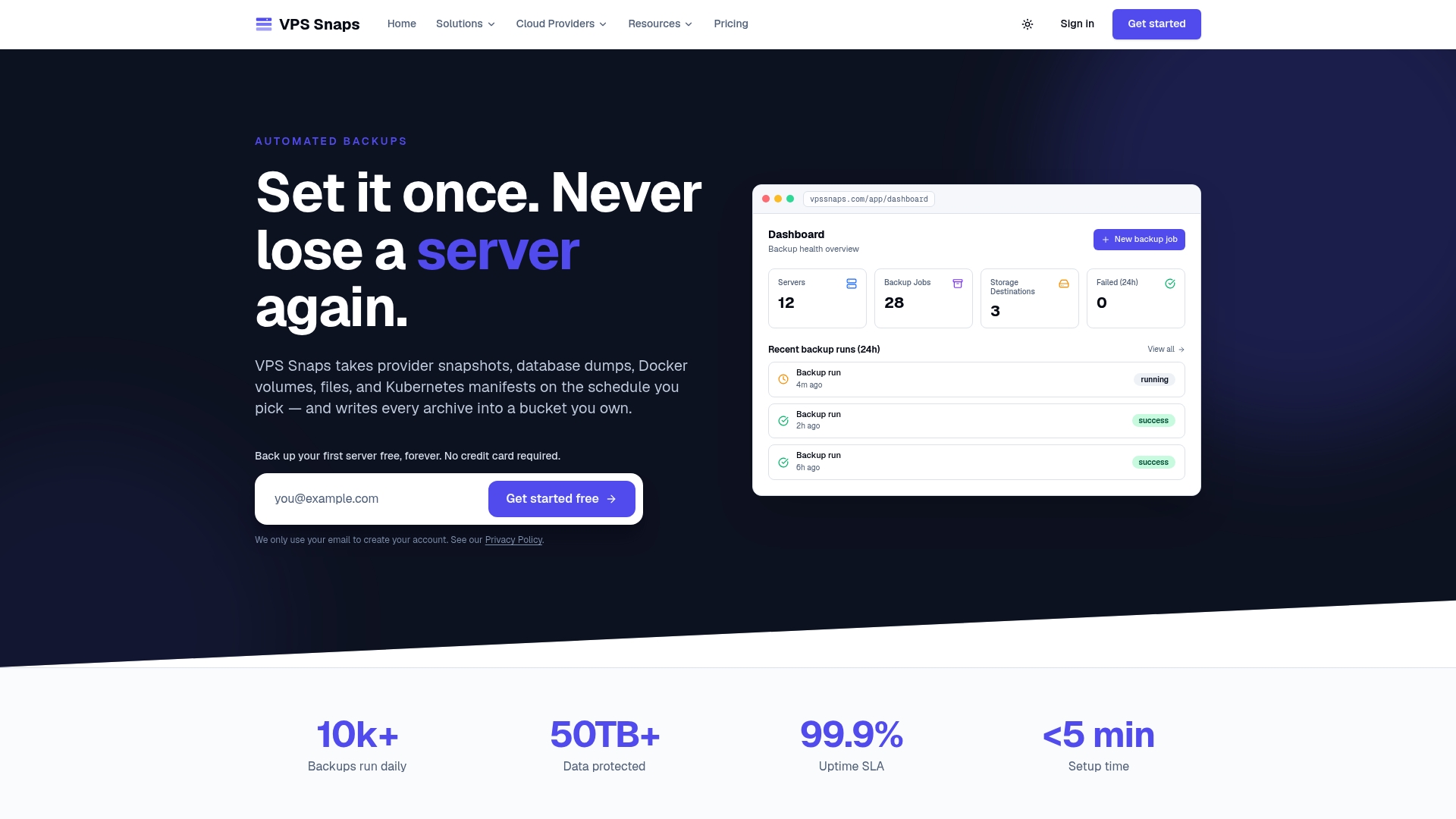
When you’re evaluating any backup approach against the criteria covered here, check for five things: automation that removes manual scripting, retention lock support, bucket ownership that keeps you in control of the data, immutability options, and detailed run logs you can hand to an auditor. Vpssnaps covers server snapshots across seven cloud providers, plus database dumps, Docker volumes, and Kubernetes workloads, with encrypted credential storage built in. Plans start at $10 a month for the Starter tier, scaling up to Standard, Pro, and Agency for teams managing more servers. Check current pricing and start a trial to see how enforced retention looks against your own workloads.
Sources
- Implementing the 3-2-1 backup rule
- HIPAA Security Rule and related guidance
- Grandfather–Father–Son backup rotation strategy
FAQ
What Is a Good Backup Retention Policy?
A good policy is tiered by workload, sets retention length above your creation frequency, and matches or exceeds whatever compliance minimums apply, such as the six-year HIPAA requirement for certain healthcare records. It also builds in an immutable, verified copy following the 3-2-1-1-0 model rather than relying on mutable backups alone.
How Long Should Backups Be Retained?
It depends entirely on the workload: operational disaster recovery backups often need only 30 to 90 days, while regulated data can require years. There is no universal number, which is why a retention matrix mapped to RPO, RTO, and compliance category works better than a single blanket rule.
What Is the 3-2-1 Rule for Backups?
The 3-2-1 rule means keeping three copies of your data, on two different media types, with at least one copy stored off-site. Many teams now extend it to 3-2-1-1-0, adding one immutable copy and requiring zero errors from automated verification checks.
What Is a 7-Year Retention Policy?
A seven-year retention policy typically applies to financial, tax, or certain regulatory records where statutes require documentation to survive that long, and it’s a common ceiling teams build into compliance-archive tiers. It’s longer than HIPAA’s six-year floor, so organizations subject to multiple regulations often standardize on the longer window to stay compliant across the board.
Does Vpssnaps Handle Retention Automatically?
Yes. Vpssnaps automates backup scheduling and retention across supported cloud providers, streaming snapshots directly into buckets you control rather than proprietary storage. Pricing starts at $10 per month for the Starter plan, with higher tiers available for teams managing more servers.