Kubernetes etcd Backup and Restore: A Practical Guide
Kubernetes etcd Backup and Restore: A Practical Guide

To back up etcd in Kubernetes, take a snapshot from a healthy member with etcdctl snapshot save, verify it with etcdutl, copy it off the control plane node, and repeat on a schedule. A snapshot you have never restored is only a hope, so the restore drill belongs in the same routine. This guide covers the full loop for teams that run their own control plane: the commands, the order, the places it goes wrong, and how to keep the files somewhere you own and can audit.
TL;DR
- etcd holds all Kubernetes cluster state, and the official Kubernetes guidance says regular backups are what let you recover after losing every control plane node.
- Take the snapshot from one healthy endpoint, then check it with
etcdutl snapshot status. Do not use the deprecatedetcdctlequivalents. - Store every snapshot off the cluster, in a bucket you own, with retention rules and encryption. etcd keeps Secrets in it.
- Restore with
etcdutlinto a fresh data directory while the API servers are stopped, then restart the control plane components. - Automate the schedule, log every run, and rehearse the restore on a throwaway cluster.
Table of Contents
- What etcd stores and why its backup is the cluster backup
- Before you take the first snapshot
- Step 1: Take the snapshot
- Step 2: Verify the snapshot
- Step 3: Move it off the cluster and decide how long to keep it
- Step 4: Automate it
- Restoring etcd after a failure
- Rehearse the restore
- Managed clusters and the volumes your apps use
- Our perspective
- Put it on a schedule you can see
- FAQ
- Sources
What etcd stores and why its backup is the cluster backup
etcd is the consistent, highly available key-value store Kubernetes uses as its backing store. Every Kubernetes object lives in it: Deployments, Services, ConfigMaps, Secrets, RBAC rules, and the rest. Lose etcd with no backup and your nodes may still be running containers, but the cluster no longer knows what it is supposed to be running.
Two things follow for anyone planning backups.
First, a snapshot is the state of the control plane, not of your applications. Data inside persistent volumes, container images and anything kept in an outside secrets manager are separate from it. A complete plan covers both the cluster state and the volumes your workloads write to.
Second, a snapshot is sensitive. Kubernetes Secrets are stored in etcd, so anyone who can read the snapshot file can read them unless you have encryption configured. Treat the file like a credential.
If you are setting up the wider disaster recovery picture around your servers, resilience planning for data centers covers why recovery design matters before an outage rather than after.

How much failure etcd tolerates by itself
A multi-member etcd cluster already survives some failures. According to the etcd disaster recovery guide, a cluster tolerates up to (N-1)/2 permanent member failures. A three-member cluster survives one lost member, a five-member cluster survives two. Lose more than that and quorum is gone for good, and the only way back is a snapshot restore.

Replication is not backup. A bad deploy, an accidental kubectl delete namespace, or a corrupted write is copied to every member within milliseconds. Snapshots are the only copy that stays frozen at a known good moment.
Before you take the first snapshot
Check versions
The Kubernetes documentation sets the minimum recommended etcd versions for production at 3.4.29 or later, and 3.5.11 or later. It also notes that etcdctl snapshot status and etcdctl-based restore have been deprecated since etcd 3.5.x and are slated for removal in 3.6, with etcdutl as the replacement. Write your scripts against etcdutl for status and restore now, so a later control plane upgrade does not break your backup job silently. If you are also reviewing how your cluster is built for resilience, deploying workloads on Kubernetes touches on the production setup that sits around etcd.
Check health
On a kubeadm-style cluster etcd runs as a static pod on each control plane node, with client certificates in the pod’s configuration. Find the endpoint and certificate paths from the etcd pod description:
kubectl -n kube-system describe pod etcd-<control-plane-node>
Look for --listen-client-urls, --cert-file, --key-file and --trusted-ca-file. You will pass the last three to etcdctl as --cert, --key and --cacert. Confirm the member is healthy before you snapshot it, since a snapshot of a struggling member is a poor backup.
Step 1: Take the snapshot
The Kubernetes guide gives the command for a live member:
ETCDCTL_API=3 etcdctl --endpoints $ENDPOINT \
  --cacert=/etc/kubernetes/pki/etcd/ca.crt \
  --cert=/etc/kubernetes/pki/etcd/server.crt \
  --key=/etc/kubernetes/pki/etcd/server.key \
  snapshot save snapshot.db
The certificate paths above are the common kubeadm defaults. Use the ones from your own etcd pod description.
Where it goes wrong:
- More than one endpoint. The etcd tutorial on saving the database notes that
--endpointsshould hold a single endpoint, because a snapshot can only be requested from one etcd node. - Copying the db file instead. The Kubernetes guide also describes copying
member/snap/dbfrom an idle data directory. The etcd recovery guide warns that this can lose data still in the write-ahead log, and a copied file restores only with--skip-hash-check. Usesnapshot savefor routine backups. - Saving to the etcd data directory. Write the file elsewhere. A later restore can overwrite
/var/lib/etcd, and you do not want your only copy there.
Step 2: Verify the snapshot
Verify every file the moment it is written:
etcdutl --write-out=table snapshot status snapshot.db
The output shows the hash, revision, total keys and total size. A zero-byte file, a key count of zero or a command error means the backup failed, whatever the exit code of the wrapper script said. The hash that snapshot save embeds is also what etcdutl snapshot restore checks later, so an integrity mismatch in transit surfaces at restore time at the latest. Better to catch it now: compare the hash before and after you copy the file off the node.
Build the verification into the job rather than doing it by hand. A backup that runs without an error is not the same as a backup that contains your cluster.
Step 3: Move it off the cluster and decide how long to keep it
A snapshot sitting on the control plane node dies with the node. The whole reason for a backup is the scenario where those nodes are gone, so the file must land in storage outside the cluster. S3-compatible object storage is the usual target, and AWS’s EKS Anywhere documentation follows the same pattern: save the snapshot, then copy it from the VM to a secure location.
Decide four things up front:
- Frequency. How much cluster change can you afford to lose? Hourly is a common choice for production, every six hours is a floor many teams use, and a nightly job suits a small development cluster. The right interval is the one that matches how often your objects change and how much redoing you can tolerate.
- Retention. A typical ladder keeps recent snapshots at hand and thins them out with age: hourly for a few days, daily for a month, then expire. Set it as an object storage lifecycle rule or in your backup tool so nobody has to delete files by hand.
- Encryption. Encrypt at rest and in transit, and protect the bucket credentials. Our guide to encrypting backups on Linux with GPG and age shows the file-level approach.
- Ownership. Keep the bucket in an account you control, separate from the cluster’s own credentials, so a compromised cluster cannot also delete its backups. The ransomware angle is covered in how to protect backups from ransomware.
Step 4: Automate it
A manual snapshot is a one-time safeguard. Production needs a schedule. The usual DIY pattern is a CronJob in kube-system, pinned to a control plane node, with the etcd certificates mounted read-only and the storage credentials in a Secret. It runs a script that saves, verifies and uploads the snapshot. Set the concurrency policy to forbid overlapping runs.
The kOps project takes a different route for clusters it manages. Its etcd backup documentation describes etcd-manager-ctl working against an S3 backup store, including restores run from outside the cluster.
What bites teams over time is not the first script. It is:
- Silent failures. A CronJob that stops succeeding does nothing loud. Without alerting on a missing run, you discover the gap on the day you need the backup.
- Version drift. Scripts written for older
etcdctlsubcommands break after an etcd upgrade. The deprecation noted above is exactly this trap. - Credential sprawl. Long-lived storage keys in cluster Secrets are one more thing to rotate and protect.
- Many clusters. Every cluster needs the same job, the same retention and the same checks, and they drift apart when each is maintained by hand.
This is the part we built Vpssnaps for. It streams backup data into buckets you own, stores credentials encrypted, writes detailed run logs that record each successful operation and flag failures, and manages retention automatically. It also covers Kubernetes manifest and volume backups, so the cluster objects and the data your workloads write sit under one schedule, one log and one retention policy. The related Velero walkthrough and k3s backup guide show how those pieces fit for different cluster types.
Restoring etcd after a failure
Restore is where backups are proven. The order matters, and the official guidance is consistent about it.
The sequence
Per the Kubernetes guide:
- Stop all API server instances.
- Restore state on all etcd members with
etcdutl. - Restart the API servers.
- Restart kube-scheduler, kube-controller-manager and kubelet as well.
etcd supports restoring a snapshot taken on the same major.minor version, patch versions can differ.
On a kubeadm cluster, stopping the control plane usually means moving the static pod manifests out of /etc/kubernetes/manifests so the kubelet stops them. Move them back when the restore is done.
The command
etcdutl snapshot restore snapshot.db \
  --data-dir /var/lib/etcd-restored \
  --bump-revision 1000000000 \
  --mark-compacted
Three details here separate a clean recovery from a confusing one:
- Restore into a new directory. Restoring over
/var/lib/etcdwhile anything still has the database open is an easy way to lose both the live data and the restore. After the restore, point the etcd manifest’s data directory at the new path, or move the old directory aside and put the restored one in its place. Keep the old directory until the cluster is confirmed healthy. - Bump the revision. The etcd recovery guide recommends
--bump-revisiontogether with--mark-compactedfor Kubernetes, so that watches terminate and informer caches are invalidated. Without that, controllers can see revisions go backwards and hold stale state. The guide’s example value of 1000000000 covers a week-old snapshot at under 1,500 writes per second. Size the number to the age of your snapshot and your write rate. - Member identity changes. The restore overwrites the member ID and cluster ID, so the restored member cannot accidentally rejoin an existing cluster. For a multi-member cluster, restore every member from the same snapshot with matching cluster configuration, and do not leave an old member running.
After the restore
Wait for the API server to answer, then check the things that matter: kubectl get nodes, kubectl get pods -A, and a sample of your own objects. Anything created after the snapshot is gone, and anything deleted after it is back. The kOps documentation is blunt about the same trade-off: a restore means control plane downtime and loses resources created after the backup, and it cannot be undone except by restoring again.
That is why the interval in Step 3 is a business decision rather than a technical one.
Rehearse the restore
The restore drill is the step teams skip. Run it on a scratch cluster or a set of disposable VMs on a schedule you will actually keep, such as quarterly. A good drill:
- Pulls the latest snapshot from the bucket, as it would in a real outage, using only credentials and documentation you would have on the day.
- Restores it into a fresh data directory.
- Starts a control plane and proves the restore by listing objects, then recovering something you deliberately deleted before the snapshot was taken.
- Records how long it took.
The recorded time is your real recovery time, and it is usually longer than anyone guessed. Write the runbook from the drill, not from memory.
Managed clusters and the volumes your apps use
On a managed Kubernetes service, the provider operates the control plane and you generally do not have direct access to etcd, so you protect cluster objects and workload data at the Kubernetes API level instead. On self-managed clusters, including kubeadm, k3s and bare metal, the etcd steps above apply directly. Either way, your persistent volumes need their own backup. Our Kubernetes restore guide walks through restoring namespaces, etcd and full clusters, and why snapshots alone fail IT teams explains why a provider snapshot by itself is not a recovery plan.
For the dedicated walkthrough, see our etcd backup and restore guide.
Our perspective
Most etcd backup failures we hear about are not failures of
etcdctl. The command is simple. What goes wrong is everything around it: a CronJob nobody watches, a bucket in the same account as the cluster, a script that predates an upgrade, and a restore nobody ever tried.That is why we designed Vpssnaps around ownership and evidence. Backup data streams straight into storage you own, snapshot artifacts stay with your provider account, and they can be restored without relying on us. There is no proprietary restore tool between you and your data. Credentials are stored encrypted, and every run leaves a log that shows what succeeded and alerts you to what failed. Retention is managed for you, so old copies expire on schedule instead of piling up.
For a team with several clusters across several cloud providers, that means one place to see whether last night’s backups actually ran. For a freelancer or a small business, it means the routine is set up once and then stays out of the way. Take the etcd snapshot, keep it off the cluster, test the restore, and let the schedule and the logs carry the rest.
Scott
Put it on a schedule you can see
Vpssnaps integrates with seven major cloud providers and backs up Kubernetes manifests and volumes alongside database dumps, Docker volumes and files. Plans are billed monthly or yearly: Starter is $10 per month, Standard $30 per month, Pro $57 per month and Agency $117 per month, and there is a Free plan at $0 per month. Yearly billing is $120 per year for Starter, $360 for Standard, $684 for Pro and $1,404 for Agency. Current details are on the pricing page.
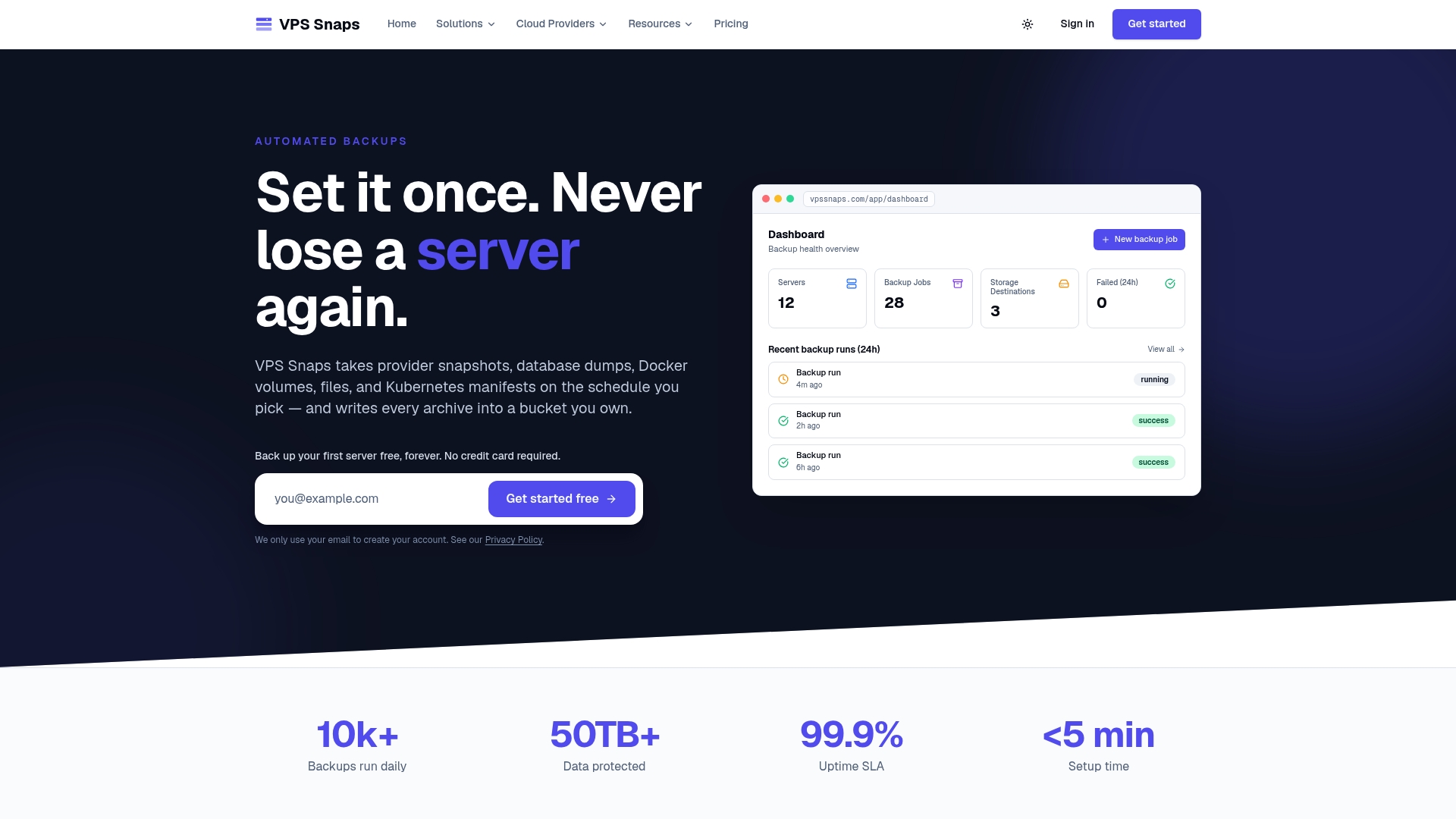
If you already run etcd snapshots by script, the fastest improvement is usually the layer around them: a destination bucket you own, retention that enforces itself, and a log you can read. Start from the Vpssnaps home page and connect your first server.
FAQ
How often should I back up etcd?
Match the interval to how much cluster change you can afford to redo. Hourly is a common production choice and every six hours is a frequent minimum. A restore returns the cluster to the snapshot moment, so everything created afterward is lost.
Does Kubernetes still use etcd?
Yes. etcd remains the backing store for all Kubernetes cluster data, according to the official Kubernetes documentation. Some distributions wrap or replace the storage layer, so check how your own distribution stores state before applying these steps.
Can I use etcdctl to restore a snapshot?
Use etcdutl. The Kubernetes documentation says etcdctl snapshot status and etcdctl-based restore have been deprecated since etcd 3.5.x and are slated for removal in 3.6. Scripts built on etcdutl keep working across the change.
What does an etcd snapshot not include?
It contains Kubernetes cluster state only. Persistent volume contents and container images are separate, and so is anything held in an outside secrets manager. Back up your volumes and application data alongside etcd so a restored cluster has the data its workloads expect.
Is a snapshot file safe to store anywhere?
No. etcd holds Kubernetes Secrets, so the file should be encrypted and kept in a bucket with tight access rules. Keep it outside the cluster and outside the cluster’s own credentials.
Sources
- Operating etcd clusters for Kubernetes
- Disaster recovery | etcd
- How to save the database | etcd
- Ubuntu and RHEL etcd backup | EKS Anywhere
- etcd backup, restore and encryption | kOps
- Data Center Resilience: Design, Operations and AI Loads (Part 4)
- 3 First Moves to Deploy LLMs on Kubernetes with vLLM