Get Audit Ready This Week for SOC 2 Backup Requirements, U.S. Teams
Get Audit Ready This Week for SOC 2 Backup Requirements, U.S. Teams

SOC 2 requires backups to be created, encrypted and access-controlled, regularly tested for restorability, retained and deleted on a documented schedule, and supported by logs and diagrams that an auditor can trace from policy to evidence. Both the NIST Cybersecurity Framework and AICPA’s Trust Services Criteria anchor this expectation. The fastest way to get audit-ready this week is a recent, successful test restore with timestamps and matching run logs.
TL;DR:
- Backup policies must specify RTO, RPO, scope, ownership, retention, and include documented procedures for testing, with evidence spanning the entire review period for Type 2 reports.
- Encryption, access controls, role-based permissions, and logging are essential to protect backup data and prevent common findings during SOC 2 audits.
- Automating scheduled backups with detailed run logs and verifying restore success regularly are critical to demonstrate control effectiveness.
- Ransomware mitigation includes using immutable storage, cross-region replication, and documented incident response plans for backup recovery.
- Organizing policies, architecture diagrams, configuration screenshots, and comprehensive logs beforehand streamlines auditor review and reduces follow-up requests.
Table of Contents
- How backups map to the SOC 2 Trust Services Criteria
- Policy and planning: RPO, RTO, scope, and ownership
- Backup security controls: encryption, credential handling, and access management
- Execution and automation: scheduling, monitoring, run logs, and retention
- Restore testing and integrity verification
- Ransomware mitigation and isolation strategies for backups
- Retention, deletion, and privacy considerations
- Audit evidence: what to collect and how to present it to auditors
- Practical checklist and a real-world implementation pattern
- Author perspective: practical priorities for IT and security teams preparing for SOC 2 backups
- How an automated, S3-compatible snapshot workflow simplifies audit evidence
- FAQ
- Sources
How backups map to the SOC 2 Trust Services Criteria
Backup controls are not a separate checkbox. They are evidence auditors use to test specific Trust Services Criteria (TSCs). Security is mandatory for every SOC 2 report, and backup access controls, encryption, and monitoring all feed directly into it. Availability is the TSC most people think of first: a documented recovery plan, defined RTO and RPO, and proof that systems come back online as designed. Processing Integrity comes into play when backups must preserve data accuracy, not just existence, so checksum or application-level verification matters. Confidentiality applies when backed-up data includes sensitive business information that needs encryption and restricted access even at rest.

Type 1 and Type 2 reports expect different evidence. A Type 1 report only asks whether your backup controls are suitably designed at a single point in time, so a written policy and a configured schedule can suffice. A Type 2 report asks whether those controls operated effectively across the review period, commonly three to twelve months according to the SOC 2 compliance checklist from Wolters Kluwer, which means you need to run logs and test-restore records spanning that entire window, not just a snapshot from last week.
Policy and planning: RPO, RTO, scope, and ownership
Auditors expect a written backup policy before they look at a single log file. The policy is what ties your technical controls back to a business decision, and it needs to name an owner, not just a department.
A complete backup policy typically includes:
- Purpose and scope: which systems, data classes, and environments are covered.
- RTO and RPO targets: stated in hours or minutes, tied to business impact, not guessed.
- Roles and ownership: who approves changes, who monitors jobs, who signs off on test restores.
- Test cadence: how often restores are verified and by whom.
- Retention schedule: how long each data class is kept and when it is deleted.
- Exception handling: what happens when a backup job fails or a restore misses its RTO.
RTO and RPO should come from a business impact assessment, not an arbitrary round number. A payment processing database might need a 15-minute RPO, while an internal wiki can tolerate 24 hours. Review the policy on a fixed schedule, commonly annually or after a material infrastructure change, and keep a change log showing who approved each revision.
Backup security controls: encryption, credential handling, and access management
This is where most SOC 2 findings against backups originate: not because backups don’t run, but because they aren’t adequately protected once they exist. CISA’s guidance on the 3-2-1 backup rule treats encryption and access restriction as baseline, not optional, protections for any backup copy.
Auditors generally expect to see:
- Encryption in transit and at rest, with documented key management (who holds keys, how rotation works).
- Encrypted credential storage for any service account or API key used to trigger backup jobs, with a rotation schedule.
- Role-based access control and MFA for anyone who can view, restore, or delete backup data.
- Least privilege service accounts scoped only to backup operations, never broad admin rights.
- Access logging showing every read, write, and delete action against backup storage.
Tools built for this problem handle some of it structurally. We built VPS Snaps to store backup credentials encrypted by default rather than as plaintext environment variables, which removes one of the most common findings auditors flag in smaller environments.
Pro Tip: Keep a standing folder of access-control screenshots (IAM policies, MFA enforcement settings, RBAC role assignments) updated monthly so you’re never scrambling to recreate them during fieldwork.
Execution and automation: scheduling, monitoring, run logs, and retention
A backup that runs manually “when someone remembers” is a finding waiting to happen. Auditors want to see scheduled, automated jobs with monitoring that catches failures before they become incidents.
Run logs are the backbone of Type 2 evidence. At minimum, each entry should capture:
- Job ID and timestamp for every scheduled run.
- Exit code or success/failure status, with alerting on failure.
- Data volume or scope backed up in that run.
- Retention action taken, if the job also enforces deletion of expired copies.
Retention enforcement needs to be visible, not assumed. If your policy says 90 days for database dumps, the system should log when it actually deletes copies past that window, and that log is itself evidence.
One practical pattern is scheduled provider snapshots that stream directly into a customer-owned storage bucket rather than staging data inside a vendor’s own account. That keeps the ownership chain simple to explain to an auditor and avoids a second access-control layer to document.
Restore testing and integrity verification
A backup nobody has restored is a theory, not a control. Auditors weigh test-restore evidence heavily because it is the only proof that the whole chain, from snapshot to storage to recovery, actually works.
A reasonable testing program looks like this:
- Run quarterly full restores for your most critical systems and document the outcome, including time-to-restore against your stated RTO.
- Run monthly partial restores for less critical data classes, confirming file integrity and basic application function.
- Verify integrity with checksums or hash comparisons between the source and restored copy.
- Smoke test the application after restore, confirming it starts, authenticates, and serves expected data.
- Log every test, capturing date, system, method, result, and who performed it.
This maps directly to the Recover function in NIST CSF 2.0, specifically RC.RP, which calls for verifying the integrity of backup assets before relying on them for recovery. Present these as a running log, not a one-off event; auditors want to see the cadence held across the full review period.
Ransomware mitigation and isolation strategies for backups
Ransomware that reaches production credentials can reach backups stored the same way, which is why isolation has become its own line item in backup reviews. Immutable, write-once storage prevents an attacker (or a mistaken script) from altering or deleting backup copies within a defined retention window. Replicating backups to a separate region or account adds a second layer, and logical isolation, separate credentials, separate network path, separate identity provider, achieves much of the same benefit as a full physical air gap without the operational overhead.

Document whichever approach you use as a compensating control tied to your incident response plan: if production is compromised, who has authority to pull from isolated backups, and how fast can that happen. Capture configuration screenshots showing immutability settings or replication targets, along with any incident response tabletop exercises that referenced backup recovery as evidence.
Retention, deletion, and privacy considerations
Retention should be set by data class, not applied uniformly. Financial records might need seven years, while temporary session data might need thirty days. Whatever you choose, the automated deletion logs are the evidence: they show expired copies are actually removed, not just scheduled for removal.
Data-subject deletion requests complicate backups because a backup copy can’t always be purged on demand without breaking recovery integrity. A common approach is a restore-and-delete workflow combined with documented legal holds for data under dispute or regulatory obligation. This directly supports the Confidentiality and Privacy TSCs, and auditors will expect to see the retention schedule, deletion logs, and any legal-hold exceptions cross-referenced together.
Audit evidence: what to collect and how to present it to auditors
Auditors move faster when evidence is organized before they ask for it. Practitioner guidance on backup compliance for SOC 2 and ISO 27001 consistently points to the same core artifact set.
Collect and index:
- Policy documents covering RTO, RPO, retention, and roles.
- Architecture diagrams showing where backups live relative to production.
- Screenshots of encryption settings, access controls, and immutability configuration.
- Run logs and test-restore logs spanning the full Type 2 review period.
- Retention and deletion logs, plus access lists for who can reach backup storage.
Map every artifact to the specific TSC it supports and to the time window it covers. An indexed evidence map with clear cross-references between policy, logs, and screenshots measurably cuts down on auditor follow-up requests.
Practical checklist and a real-world implementation pattern
The week before an auditor arrives, work through this in order:
- Confirm RTO/RPO are documented and match what your systems actually achieve.
- Pull the last full quarter of run logs and check for gaps or unexplained failures.
- Run one fresh test restore and save the log, timestamp, and verification result.
- Screenshot encryption settings, credential storage, and access control lists.
- Confirm retention deletion logs match your written retention schedule.
| Checklist item | Evidence to capture |
|---|---|
| Automated snapshot schedule | Run logs with job ID, timestamp, exit code |
| Customer-owned storage destination | Bucket ownership record, architecture diagram |
| Encrypted credential storage | Credential vault configuration screenshot |
| Test restore performed | Test-restore log with timestamp and result |
A pattern worth adopting: scheduled snapshots that write directly into storage you own, paired with encrypted credential handling and a run log for every job. That combination turns three separate audit questions, did it run, was it protected, can you prove it, into one consistent evidence trail.
Author perspective: practical priorities for IT and security teams preparing for SOC 2 backups
Teams waste time chasing exotic controls before fixing the basics. Write the policy first, even a short one, because auditors test against what you said you’d do. Then automate the schedule and start logging every run; a messy manual process generates no usable evidence no matter how often it works. Only after that should you add immutability or cross-region replication. Start with your highest-risk system, prove a clean restore, then expand scope system by system rather than trying to document everything at once.
— Scott
How an automated, S3-compatible snapshot workflow simplifies audit evidence
We built VPS Snaps around the exact evidence gap IT teams run into during SOC 2 prep: proving backups exist, are protected, and actually restore. Scheduled snapshots stream directly into storage you already own across seven cloud providers, so there’s no separate vendor account to explain to an auditor. Encrypted credential storage and detailed run logs give you the artifacts this article walks through, without hand-built scripts.
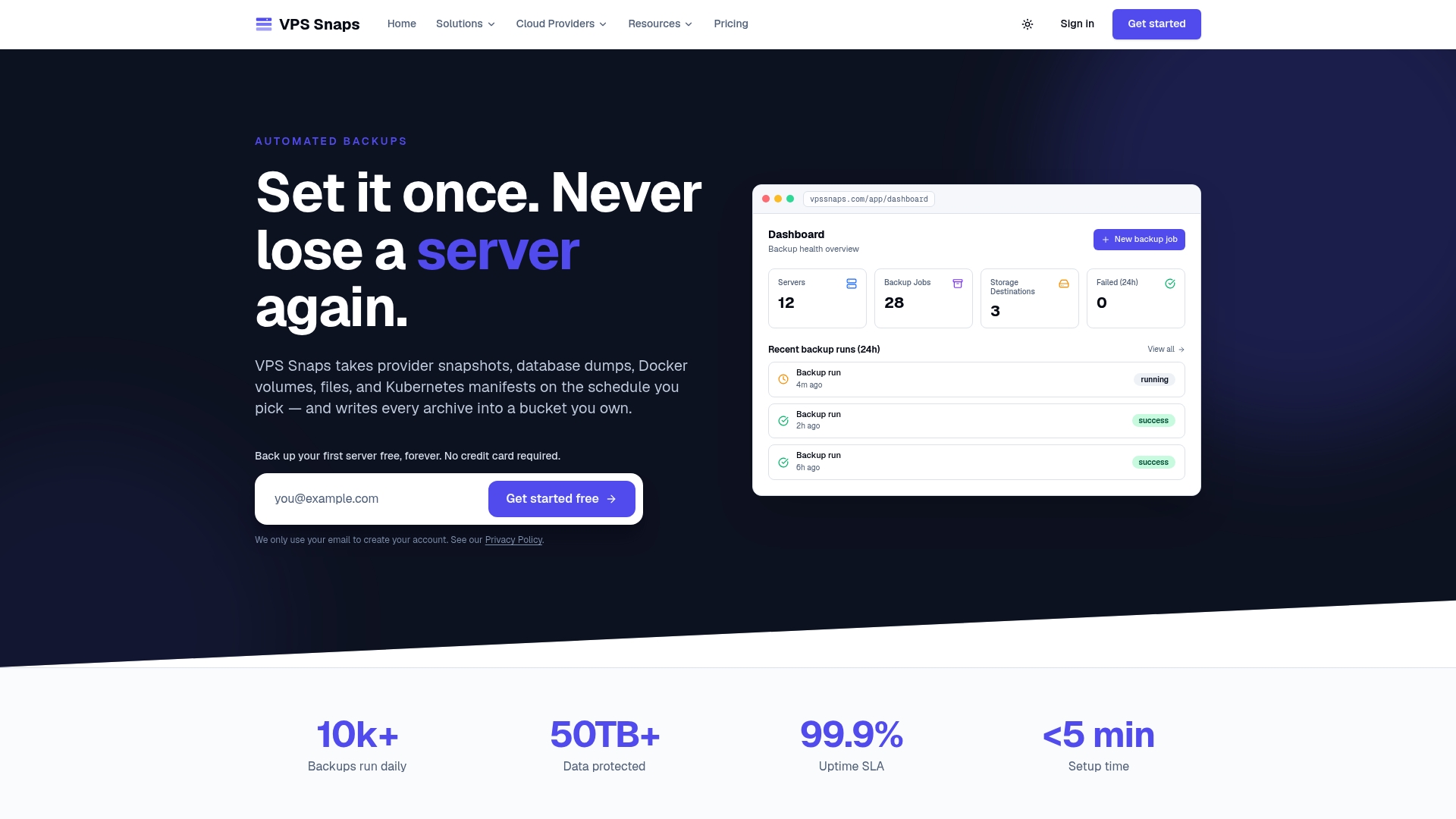
Plans run from $10 per month on the Starter tier up through Agency, with a free tier available to test the workflow before committing. If you’re also weighing how SOC 2 fits against other frameworks, the ISO 27001 vs SOC 2 comparison from ISMS Calculator is a useful next read. Check current pricing to get started.
FAQ
How often is SOC 2 compliance required?
SOC 2 reports are typically renewed annually, since a Type 2 report only covers a fixed review period, commonly three to twelve months. Most organizations undergo a new audit each year to maintain continuous coverage for customers and partners.
Can you have a SOC 3 without a SOC 2?
No, a SOC 3 report is a publicly shareable summary built from the same underlying SOC 2 Type 2 audit. You cannot obtain a SOC 3 without first completing the detailed SOC 2 examination it summarizes.
What are the five Trust Services Criteria for SOC 2?
The five Trust Services Criteria are Security, Availability, Processing Integrity, Confidentiality, and Privacy, as described in the SOC 2 compliance checklist from Wolters Kluwer. Security is mandatory for every report, while the other four are included based on the services the organization provides.
What is a SOC 2 Type 2 compliance checklist?
A SOC 2 Type 2 checklist covers written policies, access controls, encryption, monitoring, and backup and recovery evidence gathered over the full review period rather than a single point in time. For backups specifically, that means run logs, test-restore records, and retention and deletion logs spanning the entire audit window.
Sources
- NIST Cybersecurity Framework (CSF) 2.0
- Ensuring backup compliance with SOC 2 and ISO 27001 — Infosecurity Magazine