Avoid 180 Day Charges: How Engineers Back Up to Glacier
Avoid 180 Day Charges: How Engineers Back Up to Glacier

Glacier is a sound backup target for long-term, infrequently accessed data and compliance retention, not for anything you might need back in minutes. For most backup and disaster recovery archives, S3 Glacier Flexible Retrieval is the right default because it balances low storage cost with retrieval windows measured in hours. Watch for restore waits, minimum storage durations, and the charges that come from copying restored data back into S3 Standard.
TL;DR:
- Use Glacier Flexible Retrieval for backups accessed once or twice a year to balance low cost with reasonable restore times, avoiding frequent small-object churn.
- Bundle small files into larger archives before transitioning to Deep Archive to reduce request costs and prevent minimum storage duration issues from early deletions.
- Initiate restores asynchronously with event-driven workflows to avoid blocking, and set explicit expiration dates on temporary copies to prevent double charges.
- Authenticate and log each backup and restore operation, applying least-privilege policies and encryption, to ensure reliable recovery and auditability over time.
- Automate lifecycle rules and tagging using tools like VPS Snaps to maintain consistent, low-maintenance Glacier backup workflows across multiple servers and cloud providers.
Table of Contents
- Glacier storage classes at a glance
- How to move backups into Glacier storage
- Restoring archived backups: tiers, timing, and automation
- Cost and operational pitfalls to watch for
- Best practices for running Glacier backups reliably
- How VPS Snaps handles Glacier-compatible backup workflows
- Choosing the right Glacier class: a practical checklist
- Automate your Glacier backups without the scripting overhead
- Sources
- FAQ
Glacier storage classes at a glance
Amazon groups its archival tier into three storage classes, and each one targets a different access pattern. S3 Glacier Instant Retrieval suits data you rarely touch but might need immediately, such as medical images or media assets past their active life. S3 Glacier Flexible Retrieval fits backups and disaster recovery copies accessed once or twice a year. S3 Glacier Deep Archive is built for data accessed less than once annually, think regulatory retention or seven-year financial records.
All three classes share the same durability promise: 99.999999999% (11 nines), the same figure AWS applies across its S3 storage classes generally. Where they differ is minimum storage duration and retrieval behavior.
- Glacier Instant Retrieval carries a 90-day minimum storage duration and returns objects immediately, like S3 Standard-IA.
- Glacier Flexible Retrieval also carries a 90-day minimum but requires an explicit restore request before an object becomes readable.
- Glacier Deep Archive carries a 180-day minimum and the lowest per-gigabyte storage price, with the longest restore times.
Retrieval for Flexible Retrieval and Deep Archive happens through three tiers: Expedited, Standard, and Bulk, each trading speed for cost. None of the archival classes let you read an object directly the way S3 Standard does. You request a restore, wait, then read a temporary copy.
How to move backups into Glacier storage
There are three practical ways to land backup data in a Glacier class, and the right choice depends on object count, size, and how quickly the data goes cold.
- Lifecycle rules transition objects automatically based on age or prefix. Tag backup objects at creation (for example,
backup-type=database-dumporretention=long-term) and write a lifecycle rule that moves anything with that tag to Glacier Flexible Retrieval after 30 days, then to Deep Archive after a year. - Direct writes through the AWS CLI or an SDK let you put an object straight into a Glacier storage class using the
StorageClassparameter onPutObject, skipping the staging period entirely. This suits backups you already know are cold on arrival, such as monthly database snapshots or yearly compliance exports. - S3 Batch Operations handle bulk transitions across millions of existing objects using a manifest file, which is the practical route once a bucket already holds years of unsorted backup history that needs reclassifying.
Lifecycle rules work well for steady, predictable backup cadences: nightly dumps that age out of frequent access after a month. Direct writes make more sense when you generate a backup that you already know will sit untouched, since staging it in S3 Standard first just adds a delay and, depending on timing, an extra storage charge before the transition kicks in. AWS recommends using S3 Batch Operations and modern S3 storage-class transitions rather than the legacy Glacier vault APIs, since the vault interface predates S3 integration and lacks the tagging, event, and lifecycle hooks that make automated backup pipelines maintainable.
Pro Tip: Tag backup objects with both a retention class and a creation date at write time. It costs nothing and saves hours when you need to audit or bulk-transition objects later.
Object size matters too. Transitioning many small objects individually multiplies request costs and, for Deep Archive, multiplies exposure to the 180-day minimum if any of those objects get deleted or replaced early. Bundling small files into a single archive (a tarball or zip) before transition is usually cheaper and simpler to manage than transitioning thousands of loose files.

Restoring archived backups: tiers, timing, and automation
Reading a Glacier object is a two-step process. You call RestoreObject, which creates a temporary copy in S3 Standard, and you then read that temporary copy, not the archived original. That temporary copy incurs its own S3 Standard storage charge for as long as it exists, so every restore needs an expiration window set explicitly or you pay twice for the same data.
Retrieval tiers determine how long that wait is:
- Expedited typically completes in minutes for smaller objects, at the highest per-gigabyte retrieval cost.
- Standard retrieval on Flexible Retrieval typically finishes within 3 to 5 hours; on Deep Archive, Standard retrieval typically finishes within 12 hours.
- Bulk retrieval is the cheapest option and typically finishes within 5 to 48 hours depending on the class and current demand.
Durability across all three Glacier classes sits at 99.999999999% (11 nines), meaning the risk in a Glacier-based backup strategy is almost never data loss. It is retrieval time and cost planning.
The right pattern for restores is asynchronous, not blocking. Initiate the restore request, then let an event, an S3 notification tied to SNS, or a polling job check job status, and only trigger downstream processing once the restore completes. Treating restores as event-driven workflows avoids the common mistake of writing code that blocks on a restore call expecting an immediate response, which simply times out. For restores spanning tens of millions of objects or hundreds of terabytes, single-object restore calls will not scale. Generate the restore requests from a manifest using S3 Batch Operations instead, and plan for AWS Support engagement if you need throughput beyond default service quotas.
Cost and operational pitfalls to watch for
The single most common expensive mistake with Glacier is churn on small objects. Deep Archive’s 180-day minimum storage duration means that if an object gets deleted, replaced, or transitioned again before that window closes, you still pay for the full minimum term. Frequent incremental backups that get superseded daily do not belong in Deep Archive at the individual-object level. Bundle them into weekly or monthly archive files instead, and only push the bundle to Deep Archive once it is genuinely stable.
Restored copies are the second trap. A restore request creates a live S3 Standard object that keeps billing until you delete it or its expiration lapses, which means every restore needs a deliberate lifecycle end date, not a manual cleanup you remember later.
- Set an explicit expiration on every restored copy at the moment you initiate the restore, not afterward.
- Avoid per-file transitions for high-churn data; bundle first, transition second.
- Use AWS Budgets and CloudWatch alarms to catch anomalous restore or transition volume before it shows up on an invoice.
Pro Tip: If your daily backups need to survive more than a year but get replaced weekly, keep the daily layer in S3 Standard-IA and only push the weekly consolidated archive to Glacier.
Best practices for running Glacier backups reliably
A Glacier backup strategy holds up over time when it is built around recovery objectives rather than just storage cost.
- Map your recovery point and recovery time objectives to a storage class first. If your RTO tolerates a 12-hour wait, Deep Archive is fine; if you need data back same-day for an active incident, Flexible Retrieval or Instant Retrieval fits better.
- Separate ephemeral and archival backups with tags, then let lifecycle rules act on those tags rather than hardcoding paths, so a policy change is a tag edit, not a code change.
- Automate restore testing on a schedule, not just backup creation. A backup you have never restored is a hypothesis, not a plan.
- Log every backup run and restore request, and alert on failures rather than relying on someone noticing a missing file months later.
- Apply least-privilege IAM policies scoped to the specific bucket and prefix a backup job needs, and encrypt objects with SSE-S3 or SSE-KMS depending on whether you need customer-managed key control and audit trails.
None of this requires exotic tooling. It requires treating the restore path with the same rigor as the write path, since a backup system is only as good as its slowest, least-tested recovery step.
How VPS Snaps handles Glacier-compatible backup workflows
VPS Snaps automates the parts of this process that are easiest to get wrong by hand. It schedules snapshots and streams backups directly into buckets you own, so the data lands in your own S3 account rather than a vendor’s staging layer, and Glacier lifecycle rules you configure apply exactly as they would to any other object. Tagging and retention enforcement happen automatically as part of the job, rather than as a separate script someone has to maintain.
Credential handling stays encrypted throughout, and every run produces a log entry, with alerts firing on failure so a broken backup job does not go unnoticed for weeks. VPS Snaps supports file backups, VM and VPS snapshots, Docker named volumes and compose files, and Kubernetes clusters through Velero where it is already in use, or manifests and CSI snapshots where it is not.
Choosing the right Glacier class: a practical checklist
Cost and access time move in opposite directions across the three classes, and the right choice comes down to how often you genuinely expect to restore, not how often you think you might. Default to Flexible Retrieval unless you have a specific reason to move: choose Instant Retrieval when you might need same-second access, and Deep Archive only for data you are confident sits untouched for a year or more. After adopting Glacier, spend the first 30 days running one full test restore, verifying that lifecycle tags are transitioning objects correctly, and confirming that alerts fire when a backup job fails.
— Scott
Automate your Glacier backups without the scripting overhead
Building lifecycle rules, tagging conventions, and restore monitoring by hand works, but it is a maintenance burden that grows with every server you add. VPS Snaps handles the scheduling, streaming, and retention side of that work automatically, sending backups straight into S3 buckets you control, with encrypted credential storage and a run log for every job so you can see exactly what happened and when.
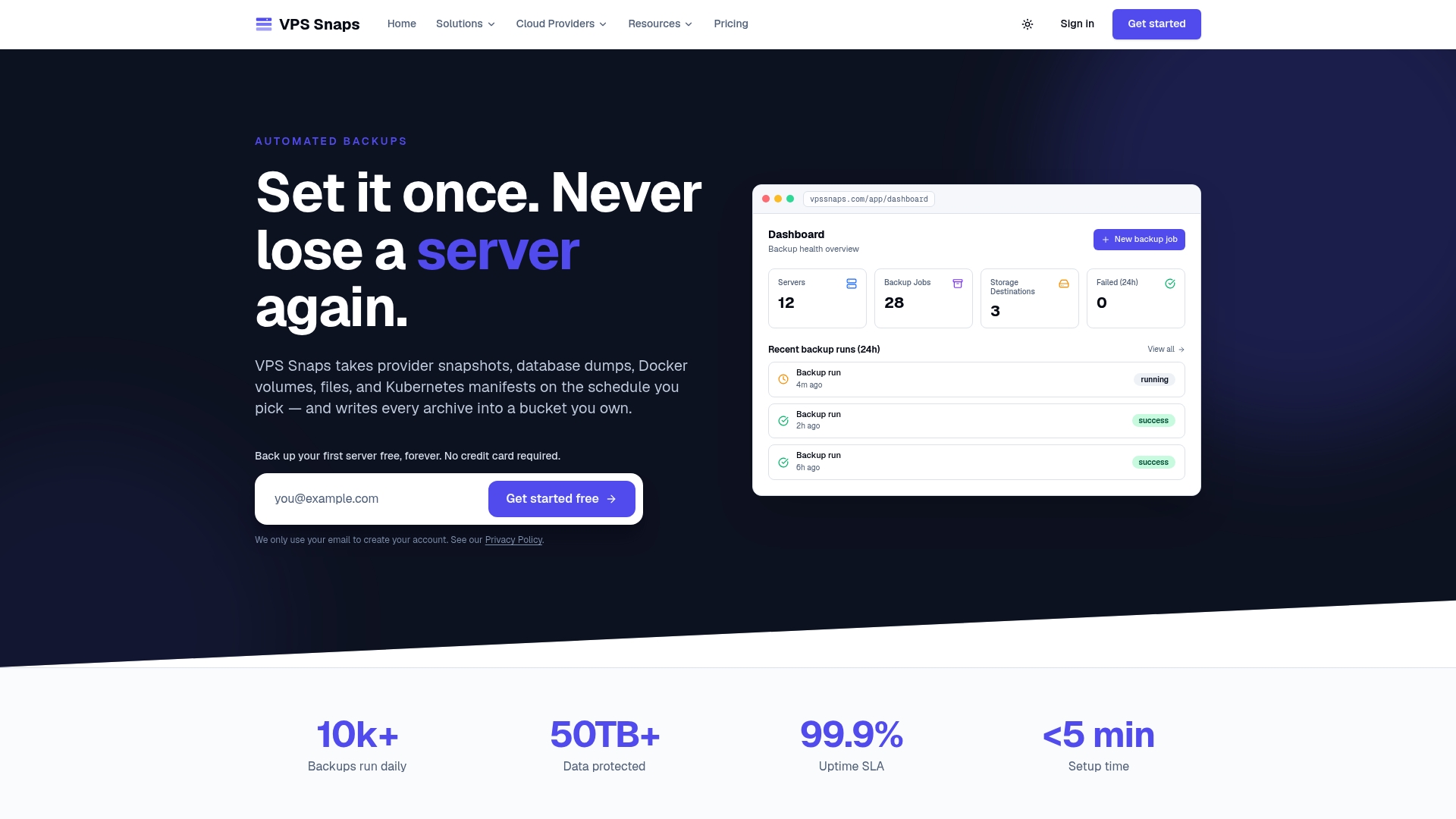
- Automated snapshots and file backups stream into your own S3 bucket, ready for the Glacier lifecycle rules covered above.
- Encrypted credentials and detailed run logs mean you are not maintaining a pile of scripts to know whether last night’s backup actually worked.
- Supports servers, databases, Docker volumes, and Kubernetes clusters across seven cloud provider integrations.
Plans start at $10 per month for Starter, with Standard, Pro, and Agency tiers available as your server count grows, plus a Free plan to try the workflow before committing. Check the VPS Snaps pricing page to pick a plan and get your first backup job running today.
Sources
- Amazon S3 pricing
- Understanding S3 Glacier storage classes for long-term data storage
- Restoring objects and retrieval options
- Avoid hidden cost of using AWS S3 Glacier Deep Archive — Plain English (blog)
FAQ
Is Amazon Glacier discontinued?
The original standalone Amazon Glacier vault service still exists but has effectively been superseded by S3 Glacier storage classes accessed through standard S3 APIs. Modern backup workflows should use the S3-integrated Glacier classes rather than the legacy vault interface, since it offers better lifecycle, tagging, and event integration.
What are the four types of backups?
Common backup types include full, incremental, differential, and mirror backups, each differing in how much data is copied and how quickly they can be restored. The choice between them affects how you organize objects for Glacier, since incremental backups with high churn generally need different retention handling than stable full backups.
What is Glacier in AWS?
Glacier is a set of Amazon S3 storage classes built for archival data that is accessed rarely, offering low per-gigabyte storage costs in exchange for restore delays instead of instant access. It includes S3 Glacier Instant Retrieval, S3 Glacier Flexible Retrieval, and S3 Glacier Deep Archive, each suited to a different access frequency.
Is it safe to back up your files to cloud storage?
Cloud storage backups are generally reliable, with S3 Glacier classes offering 99.999999999% (11 nines) durability as stated by AWS. Safety in practice also depends on encryption, access controls, and whether you actually test restores, not just on the storage class’s durability figure.